Sider: AI GPT Deep Chat
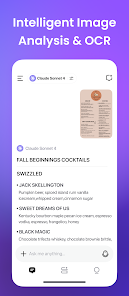
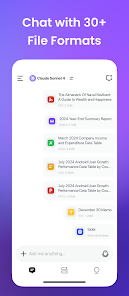
Apps Screenshots
Editor Evaluation
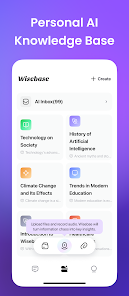
Sider is an AI assistant app developed by Sider.ai, basically an all-in-one helper that runs inside your browser. It was first launched a couple of years back and you can grab it right now from the Google Play Store and the Apple App Store. On Google Play alone, the Sider app has racked up over a million installs, which is pretty solid for a niche productivity tool. The app itself is free to download and you can start using it without creating an account, though signing up unlocks some extra features. There is in-app purchase for the premium plan, and yes, there are some in-app ads in the free version, but they are not too pushy.
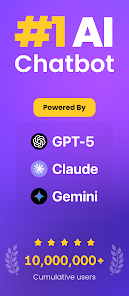
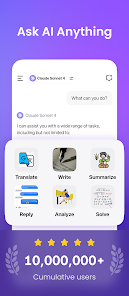
Using the Sider app is really straightforward. Once you install it, you add the extension to your Chrome or Edge browser, and a little sidebar pops up on the right. You can chat with GPT-4, Claude, or Gemini right there, without switching tabs. My tip? Use the 'Ask on any page' feature—just highlight text on a webpage, click the Sider icon, and it will explain, translate, or summarize that chunk for you. It also works as a smart search tool; if you type a question in the sidebar, it pulls answers from your current page or the web, which saves a ton of time during research.
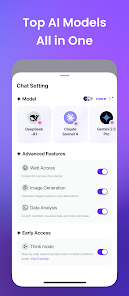
Compared to similar apps like Copilot or Perplexity AI, I picked Sider mainly because it bundles multiple models in one place. Copilot is great for Microsoft users but locks you into Bing, while Perplexity is more about search. Sider just feels more flexible. You can switch between models on the fly, and it works on every website, not just search engines. Plus, the Google Play reviews often mention how smooth the integration is, even for free users. It is not perfect, but for daily browsing and quick AI help, it is my go-to app.
Capabilities
- ✳️ Multi-Model Access: Unlike ChatGPT dashboards that only give you one model, the Sider app lets you compare answers from GPT-4, Claude, and Gemini side-by-side in the same sidebar. I often ask the same question to all three to see which one makes more sense.
- ✳️ Page-Wide Context: Sider reads the entire webpage you are on, so when you ask a question, it understands the full context. Copilot can do this too, but only on Edge, while Sider works on any Chromium browser without extra setup.
- ✳️ Smart Summarization: You can summarize long articles, YouTube videos, or even PDFs from the Google Play interface. Perplexity is good for search but horrible for video summarization; Sider handles that better with its deep learning models.
Highlights
- 🔹 Ease of Use: No registration is needed for basic use. You download the app from Google Play, install the extension, and you are good to go. Copilot requires a Microsoft account, which is a hassle.
- 🔹 Cross-Platform Availability: Sider is on both Google Play and App Store, with a seamless synced experience. Perplexity also has mobile apps, but the browser extension lags behind in features.
- 🔹 Free Tier Generosity: The free version includes access to all models with daily limits. In contrast, many similar apps gate useful features behind a paywall right away.
Lowlights
- 🔸 Ads in Free Version: The free tier shows occasional ads in the sidebar, which can be distracting. Copilot and Perplexity are ad-free even without payment.
- 🔸 Premium Plan Cost: The in-app purchase for unlimited use is a bit steep compared to ChatGPT Plus or Claude Pro, especially if you only need one model.
- 🔸 Occasional Sync Issues: Sometimes the app on Google Play does not sync chat history perfectly with the browser extension. Perplexity has better cross-device continuity.
Related Recommendation Data


Disclaimer
1. All trademarks, product names, and company names featured on this site belong to their respective owners.
2. Storageapk provides specialized soccer applications developed by our in-house soccer team, accompanied by comprehensive details such as developer contact info, user ratings, and app screenshots.
3. As part of our compliance efforts, Storageapk adheres to the Digital Millennium Copyright Act (DMCA) and responds to valid infringement notices in accordance with the DMCA and other relevant laws.
4. It is important to note that Storageapk is not affiliated with any app developer, nor do we create any applications or games ourselves.
5. Should you be an owner or copyright representative wishing to have your information taken down, you may contact us via email at [email protected].
6. All website content strictly follows the guidelines outlined in the Google Ads advertising policies and the Google Unwanted Software Policy.
What You Like