Horoscope of Birth
Apps Screenshots
Editor Evaluation
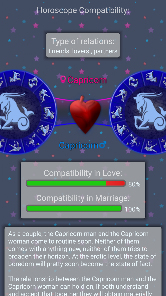
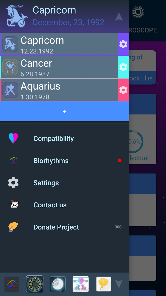
Horoscope of Birth is a personalized astrology app that creates a detailed natal chart based on your exact birth time, date, and location. It's basically a digital guide for understanding your planetary placements and how they influence your personality and life path. The app first launched in 2022 and is available on the Google Play Store and the App Store. On Google Play alone, it has racked up over 100,000 installs, which is pretty solid for a niche app. Downloading it is completely free, and you don't need to register an account to start using it—just pop in your birth details and you're set. That said, there are optional in-app purchases for more detailed reports, and yes, there are some in-app ads, but they're not too intrusive.
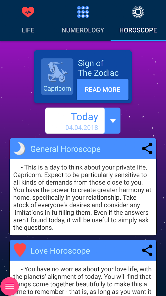
To use Horoscope of Birth, you just open the app and enter your birth info. The app then generates your birth chart, showing where each planet was at your moment of birth. You can tap on any planet or house to read a plain English explanation of what it means. A handy tip is to compare your Sun sign (the one you usually check) with your Moon and Rising signs—those three together give a way fuller picture of your character. If you're new to astrology, start with the “Daily Horoscope” tab to see how transits affect you today.
I picked Horoscope of Birth over other astrology apps like Co-Star or The Pattern because it feels more educational than predictive. Co-Star can be a bit blunt and cryptic, while The Pattern focuses heavily on relationship insights. Horoscope of Birth gives you the raw chart data without too much fluff, so you actually learn the basics of astrology as you use it. It's not trying to sell you a mystical subscription; it's just a straightforward tool for exploring your own sky map.
Capabilities
- 🔮 Detailed Natal Chart – Unlike Co-Star which simplifies things into short paragraphs, Horoscope of Birth shows you the actual wheel chart with all 12 houses, planets, and aspects. You can pinch to zoom and tap any element for a full breakdown. It feels like having a real astrologer's software on your phone, without the hundred dollar price tag.
- 📅 Transit Tracker – The app lets you set any date—past or future—to see which transits are hitting your chart. Most free horoscope apps only show today's transits, but here you can plan ahead. For example, I checked when Jupiter would enter my 10th house next year. Co-Star doesn't offer this level of depth without a paid upgrade.
- 🆓 No Signup Required – You can jump straight into your chart without handing over your email or connecting social media. A lot of similar apps like The Pattern force you to create an account before you even see anything. Horoscope of Birth respects your privacy from the get-go, and you can delete your local data anytime.
Highlights
- ⭐ Free Core Features – You get your full natal chart, daily horoscope, and basic transits for zero cost. Co-Star locks advanced transits behind a paywall, and AstroMatrix charges for detailed house interpretations. Here, the chart itself is the main feature and it's free to use.
- ⭐ Educational Value – The app explains each placement in actual astrology terms rather than vague “energy” speak. I learned what a Saturn Return truly means by reading their house descriptions. It's like having a textbook but way more interactive.
- ⭐ Lightweight and Fast – The app loads quickly and doesn't drain your battery. Compared to TimePassages which can lag on older phones, Horoscope of Birth runs smooth even on my three year old Android. It's a practical tool, not a resource hog.
Lowlights
- ⚠️ No Synastry Feature – You can't compare two charts side by side for relationship compatibility. Co-Star and The Pattern both offer this, so if you're into couple readings, you'll need another app. It's a bummer because the chart data is already there.
- ⚠️ Occasional Ad Overlay – Sometimes an ad pops up right after you open a chart section, which breaks the flow. It's not constant, but it happens more often than in AstroFuture which has fewer ads overall. You can pay to remove them, but the option is a bit hidden in settings.
- ⚠️ Limited Aspect Interpretation – While planet descriptions are solid, the aspect explanations (like square or trine) feel a bit generic. TimePassages does a better job connecting aspects to real life scenarios. I often have to supplement with outside reading for those details.
Related Recommendation Data


Disclaimer
1. All trademarks, product names, and company names featured on this site belong to their respective owners.
2. Storageapk provides specialized soccer applications developed by our in-house soccer team, accompanied by comprehensive details such as developer contact info, user ratings, and app screenshots.
3. As part of our compliance efforts, Storageapk adheres to the Digital Millennium Copyright Act (DMCA) and responds to valid infringement notices in accordance with the DMCA and other relevant laws.
4. It is important to note that Storageapk is not affiliated with any app developer, nor do we create any applications or games ourselves.
5. Should you be an owner or copyright representative wishing to have your information taken down, you may contact us via email at [email protected].
6. All website content strictly follows the guidelines outlined in the Google Ads advertising policies and the Google Unwanted Software Policy.
What You Like