iThemes - Easy Widgets, Icons
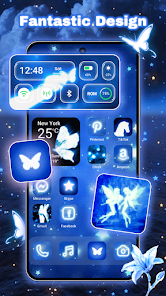
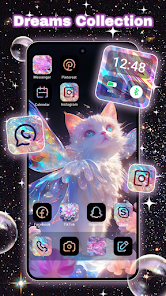
Apps Screenshots
Editor Evaluation
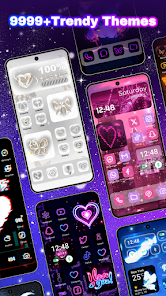
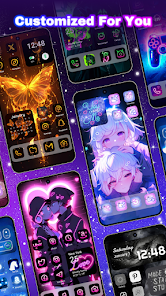
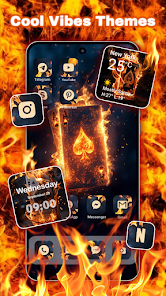
I first stumbled across iThemes - Easy Widgets, Icons on the Google Play store about two years ago. It's a personalization app that basically gives your phone's home screen a major facelift without needing a whole new launcher. Basically, this app is a massive collection of widget packs and icon sets that you can instantly download and apply. The first version went live around 2021. It is free to download and install, which is nice, but brace yourself for some in-app ads and purchases if you want the premium icon packs. It is available on Google Play and definitely has racked up over 500k+ installs. You don't strictly need to register to use the basic features, but making an account does let you save your favorite themes.
Using the app is pretty straightforward. Once you install it, you just browse the category – like "Neon" or "Minimalist" – tap the one you like, and hit "Apply." The app walks you through setting it up as a KWGT widget or applying the icon pack through your default launcher settings. A good tip I picked up is to download a few packs first before deciding which one fits your wallpaper. Some of the icon masks don't play well with very bright backgrounds.
There are tons of similar customization apps out there like "X Icon Changer" or "Nova Launcher" that let you tweak everything. But honestly, I chose iThemes over those because it is way less technical. You don't need to be a phone expert to use it. For the average person just wanting a quick change, this app is a no-brainer compared to the more complex launcher apps that require deep settings changes.
Capabilities
- 🌟 Massive Built-in Library: Unlike many icon pack apps that send you to third-party sites to download assets, iThemes keeps everything in-house. The app has a huge catalog of over 10,000+ icons and widgets directly available for download from the Google Play app itself. You don't need to hunt around the web for individual files.
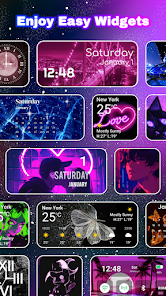
- 🌟 One-Tap Apply Feature: This was the killer feature for me. Competing apps often make you manually resize widgets or change icons one by one. With this app, you pick a theme, and it bundles everything (icons, clock, battery widget) into one click. It feels like a mini-launcher experience.
- 🌟 Regular Content Updates: The dev team pushes new widget packs to the Google Play store version every few weeks. Other apps I have tested stay stagnant for months. This one stays fresh, which is a big reason why I keep it installed.
Highlights
- 💪 Beginner-Friendly Interface: Compared to "KLWP" or "Zooper Widget," this app is a breeze. You don't need to code or edit XML files. It is pure drag-and-drop simplicity once you install it from Google Play.
- 💪 Low System Resource Usage: Unlike "Nova Launcher" which can sometimes bog down older phones, iThemes runs light. It doesn't drain your battery because the widgets are static images mostly, not live animations.
- 💪 No Root Required: This is a huge win. Many cosmetic apps in the store require root access for deep customization. This app works stock, right out of the box after you download it.
Lowlights
- ⚡ Heavy Ad Interruptions: This is the biggest downside. Every time you install a new pack from the Google Play version, you get a full-screen video ad. It is much more intrusive than similar apps like "Iconify."
- ⚡ Inconsistent Icon Coverage: For a tool called "Icons," the un-themed app icons look ugly. Using "Pix Material Icon Pack" usually gives better third-party coverage than what you get here.
- ⚡ No Cloud Backup: Unlike "Smart Launcher" which backs up your setup, if you uninstall this app and re-install it, you lose all your widget layouts. That is a pain.
- ⚡ Premium Content Cost: While the app is free to download, the best icon packs require a purchase. Other apps on Google Play offer the same quality for a flat, cheaper price.
Related Recommendation Data


Disclaimer
1. All trademarks, product names, and company names featured on this site belong to their respective owners.
2. Storageapk provides specialized soccer applications developed by our in-house soccer team, accompanied by comprehensive details such as developer contact info, user ratings, and app screenshots.
3. As part of our compliance efforts, Storageapk adheres to the Digital Millennium Copyright Act (DMCA) and responds to valid infringement notices in accordance with the DMCA and other relevant laws.
4. It is important to note that Storageapk is not affiliated with any app developer, nor do we create any applications or games ourselves.
5. Should you be an owner or copyright representative wishing to have your information taken down, you may contact us via email at [email protected].
6. All website content strictly follows the guidelines outlined in the Google Ads advertising policies and the Google Unwanted Software Policy.
What You Like