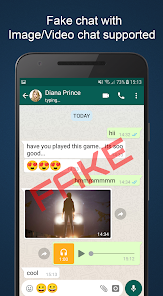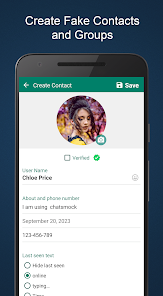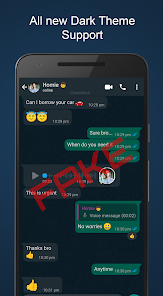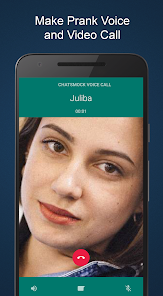
Fake Chat ChatsMock Text Prank
Apps Screenshots
Editor Evaluation
Fake Chat ChatsMock Text Prank is a mobile app from Playfake that lets you create completely fake text message conversations. The app is designed for making prank chats to share with friends or for generating realistic-looking message screenshots for other uses. It first launched a few years ago and you can grab it for free on the Google Play Store. The app has racked up over 10 million installs globally, which shows its pretty popular for a prank tool. Downloading and installing the app costs nothing, and you don't need to register or sign up to start using it right away. There are optional in-app purchases available, and you will see some in-app ads while using it, which is typical for a free app on Google Play.
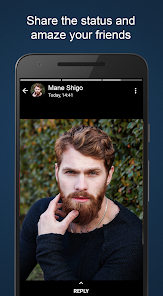
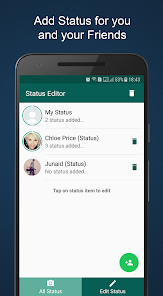
Using Fake Chat ChatsMock Text Prank is straightforward. After you install the app from Google Play, you just open it and start creating a new chat. You pick a contact name, choose a phone model style for the screenshot frame, and then type out the conversation line by line. You can control who says what, add timestamps, and even include things like delivery statuses. A good tip is to plan your prank conversation beforehand so it flows naturally when you build it in the app. Some users like to add small details like profile pictures or status indicators to make the fake chat look more authentic. Once you finish creating the chat, you can save it as an image or share it directly to social media.
I started using Fake Chat ChatsMock Text Prank because I wanted something quick and easy for making prank messages to send my friends. There are other similar apps on Google Play like TextingStory or Fake Chat Builder, but I felt this one was simpler to use without a bunch of extra steps. The app focuses on just the chat creation part, which I like, and the interface is clean. It might not have as many customization options as some other apps, but for what I need, it works fine. I have tried some of the other apps, but they often felt cluttered or had too many ads. This one from Playfake gets the job done without a lot of hassle.
Capabilities
- 🍩 Fake Chat ChatsMock Text Prank uses a simple chat creator that mirrors the look of common messaging apps, which makes the pranks feel more real compared to other apps that often miss these details.
- 🍩 The app offers a wide selection of phone model frames for your screenshots, something I found lacking in similar apps, so you can match the visual style to different devices.
- 🍩 It lets you add realistic message details like double ticks for read receipts and typing indicators, which adds a layer of authenticity that apps like TextingStory sometimes skip.
- 🍩 Every chat you make can be exported as a high-resolution image or video, which is great for sharing on social media, and this export quality is better than what I got from Fake Chat Builder.
Highlights
- 🍩 The app is completely free to download and install from Google Play, so you can start making pranks without paying anything upfront, unlike some other apps that hide basic features behind a paywall.
- 🍩 There is no registration needed, which saves time and keeps your personal information private, something you might not get with apps that require an account.
- 🍩 The user interface is clean and simple, making it easy to create a fake chat in just a few minutes, even if you have never used a similar app before.
- 🍩 It consistently receives positive ratings on Google Play for its reliability and ease of use, which gives me confidence when I recommend it to others.
Lowlights
- 🍩 The free version has frequent in-app ads that can interrupt your workflow, which is more annoying than what I experienced with some similar paid apps that remove ads entirely.
- 🍩 You are limited to basic text conversations and cannot add things like shared media or voice messages, so pranks can feel less complete compared to apps that offer more media options.
- 🍩 If you want some of the better-looking frames or extra templates, you have to make in-app purchases, which feels restrictive when other app stores offer similar features for free.
- 🍩 The app has not been updated recently, so sometimes the chat styles look outdated compared to newer messaging interfaces found in other prank apps on Google Play.
Related Recommendation Data


Disclaimer
1. All trademarks, product names, and company names featured on this site belong to their respective owners.
2. Storageapk provides specialized soccer applications developed by our in-house soccer team, accompanied by comprehensive details such as developer contact info, user ratings, and app screenshots.
3. As part of our compliance efforts, Storageapk adheres to the Digital Millennium Copyright Act (DMCA) and responds to valid infringement notices in accordance with the DMCA and other relevant laws.
4. It is important to note that Storageapk is not affiliated with any app developer, nor do we create any applications or games ourselves.
5. Should you be an owner or copyright representative wishing to have your information taken down, you may contact us via email at [email protected].
6. All website content strictly follows the guidelines outlined in the Google Ads advertising policies and the Google Unwanted Software Policy.
What You Like