Daily Horoscope 2026
Apps Screenshots
Editor Evaluation
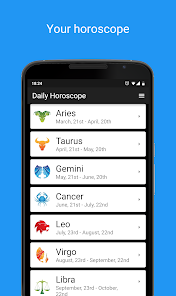
Daily Horoscope 2026 is a straightforward astrology app from developer Code Blenders that I recently started using. It first launched on the Google Play Store and also has an iOS version on the App Store. The app gives you daily, weekly, and monthly horoscope readings based on your sun sign. It is completely free to download, and you do not need to register or create an account to start using it—just pick your zodiac sign and you are in. However, the free version does show in-app ads, which can be a bit annoying, and there is an optional in-app purchase to remove those ads. I think it has around 100,000 installs on Google Play, which is decent but nothing huge compared to bigger names like Co-Star or The Pattern. For a simple, no-fuss app, it does the job without forcing you to sign up.
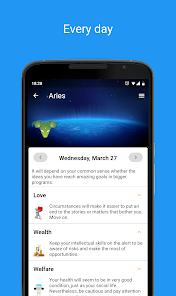
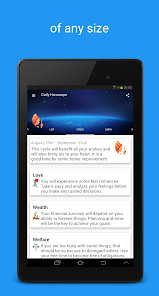
Using the app is really simple. After you install it from Google Play, you just select your zodiac sign from the list, and the main screen shows your daily horoscope for the current day. You can tap on any day in the calendar view to see past or future readings, and there is a section for love, career, and general advice. One tip I found useful is to check the monthly forecast at the start of each month because it gives a broader overview of what to expect. The app does not require an internet connection after the initial download, which I like because I can read my horoscope even when I am offline. Some users might prefer more interactive features like tarot cards or personality tests, but if you just want a quick reading in the morning, this app works fine.
I chose Daily Horoscope 2026 over other similar apps because it is way less bloated. I tried Co-Star and The Pattern before, but those apps ask for your exact birth time and location, which felt too invasive for a simple horoscope check. Also, those apps push notifications way too often. Daily Horoscope 2026 just gives you the basics without the extra drama. Other free horoscope apps on Google Play, like AstroVed or Horoscope.com, have too many ads and push premium features constantly. This app keeps the ads manageable and does not beg you to buy anything. For a free app, it feels respectful of your time and privacy.
Capabilities
- 🔮 Daily, weekly, and monthly horoscopes for all twelve zodiac signs without needing to input birth time or location. You just pick your sign and get the reading immediately. This is much simpler than Co-Star, which requires your exact birth chart and can be overwhelming for casual users.
- 📅 A calendar view that lets you check past horoscopes or plan ahead for future dates. I found this useful for seeing how accurate previous predictions were. The Pattern does not offer this feature in its free version, so it is a plus here.
- 💡 A love and career focus section that breaks down the daily horoscope into those specific areas. This helps if you only care about work or relationships and do not want to read a general paragraph. Most similar apps like Horoscope.com have this too, but the layout here is cleaner.
Highlights
- 🔒 No registration required—you can use the app instantly after downloading it from Google Play. Competitors like The Pattern force you to create an account, which is a hassle.
- 📡 Offline access for previously loaded horoscopes, so you do not need mobile data or Wi-Fi to read them. Co-Star requires an internet connection for every reading, which can be inconvenient.
- 🎨 Clean, minimal interface without crowded menus or pop-ups. The design is not flashy but it is functional, unlike the cluttered layout of some other free horoscope apps on the App Store.
Lowlights
- 📢 In-app ads can be distracting, especially when you are trying to read your daily horoscope. The frequency of ads is higher than in something like The Pattern, which has no ads but pushes a subscription hard.
- ⏳ Limited depth in the horoscope texts—they feel generic compared to Co-Star's personalized, AI-generated readings. If you want detailed astrological insights, this app may feel too shallow.
- 🔄 No push notifications or widgets for quick access, so you have to remember to open the app manually. Most competitors, including Horoscope.com, at least offer widget support on the homescreen.
Related Recommendation Data


Disclaimer
1. All trademarks, product names, and company names featured on this site belong to their respective owners.
2. Storageapk provides specialized soccer applications developed by our in-house soccer team, accompanied by comprehensive details such as developer contact info, user ratings, and app screenshots.
3. As part of our compliance efforts, Storageapk adheres to the Digital Millennium Copyright Act (DMCA) and responds to valid infringement notices in accordance with the DMCA and other relevant laws.
4. It is important to note that Storageapk is not affiliated with any app developer, nor do we create any applications or games ourselves.
5. Should you be an owner or copyright representative wishing to have your information taken down, you may contact us via email at [email protected].
6. All website content strictly follows the guidelines outlined in the Google Ads advertising policies and the Google Unwanted Software Policy.
What You Like