Neon LED Keyboard: RGB & Emoji
Apps Screenshots
Editor Evaluation
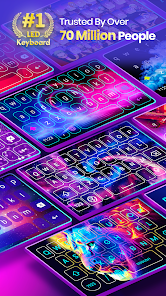
So, I've been using this app called Neon LED Keyboard: RGB & Emoji from Maxlabs Personalization Tools. It's basically a keyboard app that lets you customize your typing experience with tons of neon light effects and emoji shortcuts. I first stumbled upon it on Google Play around early 2023, and it's also available on the App Store, so it works across both platforms. According to the Google Play page, it has over 10 million installs, which is pretty impressive. The best part is that the download is completely free—you just install it and you're good to go. You don't even need to register an account to start using the app, which is a huge plus for me because I hate unnecessary sign-ups. However, there are in-app purchases for premium themes and ad removal. Honestly, the free version does have some ads, but they're not too intrusive, so it's manageable if you don't want to spend money.
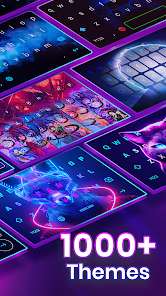
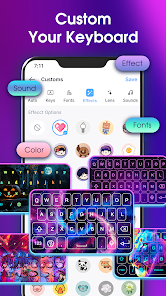
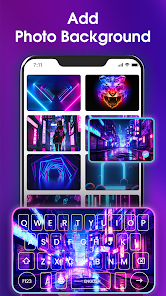
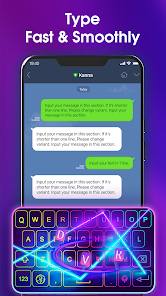
Using the app is pretty straightforward after you download and install it. First, you set it as your default keyboard in your phone's settings, which the app guides you through step by step. Once that's done, you can pick from a bunch of neon themes—some are free, some cost a few bucks. I like to mix and match the color gradients and effects. One tip I learned the hard way: if you want the keyboard to feel responsive, turn off extra animations in the settings. It makes typing smoother, especially when you're texting fast. The emoji shortcuts are also handy; you can assign your most-used emojis to a dedicated bar so you don't have to scroll through the whole list every time.
Compared to other keyboard apps like Gboard or SwiftKey, Neon LED Keyboard: RGB & Emoji is all about the visual flair. Gboard is great for typing accuracy and Google integration, but it looks pretty plain. SwiftKey has some customization, but it doesn't hit the same neon aesthetic. I chose this app over those because I wanted something that stands out, especially for night use. The glowing keys just look cool when I'm in a dark room. Plus, it's not bloated with tons of features I don't need—it's focused on being a fun, flashy keyboard, and that's exactly what I was looking for. If you're someone who values a unique look over predictive text smarts, this app is worth a shot.
Capabilities
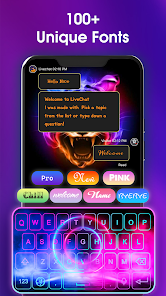
- ✨ Neon Lighting Effects: This is the standout feature. Unlike Gboard, which relies on static themes, Neon LED Keyboard: RGB & Emoji lets you create dynamic lighting patterns that pulse or shift colors as you type. It's like having a mini rave on your screen. For example, I set mine to cycle through blues and purples, and it looks incredible at night.
- ✨ Emoji Shortcut Bar: The built-in emoji shortcuts are super convenient. With SwiftKey, you have to reach for the emoji button and scroll, but here, you can customize a row of your most-used emojis right above the keys. It speeds up my texting a lot since I use emojis constantly.
- ✨ Lightweight Performance: Despite all the neon animations, the app doesn't lag much on my mid-range Android phone. Gboard can sometimes feel heavy with its AI features, but this app stays snappy. There's no sign-in required either, which makes the install process quick and privacy-friendly.
Highlights
- 🌟 Highly Customizable Themes: The app offers way more free visual options than SwiftKey. You can tweak everything from the glow intensity to the key border colors. It feels like you're personalizing a piece of art rather than just a tool.
- 🌟 No Registration Required: Unlike some apps that force you to create an account (cough, Gboard does this for sync), Neon LED Keyboard: RGB & Emoji lets you use all basic features right after download. That's a big plus for privacy-minded users like me.
- 🌟 Visually Fun for Night Use: The bright, glowing keys make typing in low light a breeze. Gboard's dark mode is fine, but it doesn't provide the same visiual pop. This app turns a boring task into something enjoyable.
Lowlights
- 💔 Ads in Free Version: The free version includes ads that pop up sometimes, especially when you switch themes. In contrast, Gboard offers ads only in its emoji search feature. It can be a bit annoying if you're trying to preview a new look.
- 💔 Limited Predictive Text: The app's autocorrect and next-word prediction aren't as advanced as SwiftKey's. SwiftKey learns your typing habits better over time, while Neon LED Keyboard: RGB & Emoji feels more basic in that department.
- 💔 Premium Themes Cost Extra: Some of the best neon themes are locked behind in-app purchases, which cost around $2 each. Gboard and SwiftKey offer most themes for free. So, if you want the flashiest looks, you'll need to spend some cash.
- 💔 Occasional Compatibility Issues: On some older Android models, the keyboard can lag or crash during heavy usage. I haven't had this problem on my Pixel, but I've seen a few reviews on Google Play mentioning it. It's something to consider before you install it.
Related Recommendation Data


Disclaimer
1. All trademarks, product names, and company names featured on this site belong to their respective owners.
2. Storageapk provides specialized soccer applications developed by our in-house soccer team, accompanied by comprehensive details such as developer contact info, user ratings, and app screenshots.
3. As part of our compliance efforts, Storageapk adheres to the Digital Millennium Copyright Act (DMCA) and responds to valid infringement notices in accordance with the DMCA and other relevant laws.
4. It is important to note that Storageapk is not affiliated with any app developer, nor do we create any applications or games ourselves.
5. Should you be an owner or copyright representative wishing to have your information taken down, you may contact us via email at [email protected].
6. All website content strictly follows the guidelines outlined in the Google Ads advertising policies and the Google Unwanted Software Policy.
What You Like