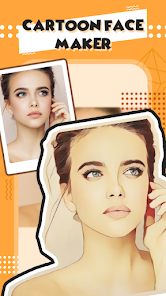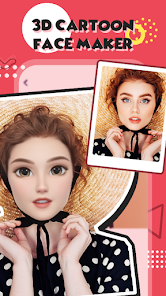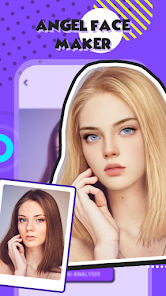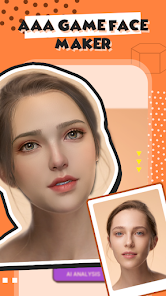
ToonMe - Cartoon Face Maker
Apps Screenshots
Editor Evaluation
ToonMe is a fun little app that turns your regular photos into cartoon-style portraits. It first launched back in 2020 and has been a hit on the Google Play Store and the App Store ever since. As of now, it has over 50 million installs on Google Play alone, which shows just how popular it is for quick photo edits. The app is totally free to download, and you don't need to register or create an account to start using it right away. However, there are in-app purchases for premium features, and you will see some in-app ads unless you pay for the ad-free version.
Using ToonMe is pretty straightforward. You just take a selfie or pick a photo from your gallery, and the app uses AI to turn it into a cartoon version of you. There are different styles to choose from, like comic book, oil painting, or even a sketch look. One tip I found useful is to use a photo with good lighting and a clear face for the best results. If the app doesn't get the effect right on the first try, you can adjust the face area manually to improve the final output.
I've tried other similar apps like Prisma and Cartoon Photo Editor, but I keep coming back to ToonMe because it feels quicker and more consistent. Prisma is great for artistic filters, but it doesn't focus on turning your face into a cartoon character specifically. ToonMe gets the job done in seconds, and the results look more polished for sharing on social media. It's a simple app for a simple task, and that's why I prefer it over the others.
Capabilities
- 🎨 AI-Powered Cartoon Conversion: This is the main feature. Unlike apps like FaceApp that offer a few basic filters, ToonMe uses advanced AI to map your facial features into a cartoon style. It captures your expression and hair, making the result look like a custom drawing rather than a cheap filter.
- 🖼️ Multiple Art Styles: ToonMe doesn't just give you one cartoon look. You can choose from styles like "Comic," "Manga," "Caricature," or "Oil Painting." Prisma offers artistic filters too, but ToonMe's styles are more focused on cartoon transformations, which is perfect for profile pictures.
- ⚡ Speed and Ease of Use: The app processes your photo in just a few seconds. No waiting around or complex settings. Just upload your photo and you get the result instantly. Other apps like PhotoDirector require you to manually adjust settings, but ToonMe keeps it one-click simple.
Highlights
- 🆓 Free with No Registration: Many similar apps like Cartoonify require you to sign up or pay upfront to use any features. ToonMe is free to download from Google Play and lets you try all the styles without creating an account, which is a big plus in my book.
- 📱 Works Great on Any Photo: Whether it's a selfie, a group photo, or an older picture, ToonMe handles it well. I've tried other apps like MomentCam that struggle with low-quality images, but ToonMe still produces clean cartoon results.
- 🌟 High Resolution Output: The final cartoon image keeps good detail and resolution. Apps like PicsArt often compress the image when applying effects, but ToonMe exports the cartoon at a decent quality that looks good on social media.
Lowlights
- 💸 In-App Ads Are Annoying: The free version of ToonMe shows ads after every few conversions. It can get frustrating when you're trying to make several edits quickly. Similar apps like FaceApp also have ads, but ToonMe's frequency feels higher unless you pay.
- 🖌️ Limited Free Styles: You get a handful of free styles, but the best ones like "Vintage Cartoon" or "3D Render" are locked behind a paywall. Apps like Prisma offer more free filters to play with before asking for money.
- 🔒 Privacy Concerns: ToonMe processes your photo on their servers, which means your image is uploaded. For a full-face photo, this might bother some people. Rival apps like Cartoon Photo Editor offer offline processing, which feels safer for personal data.
Related Recommendation Data


Disclaimer
1. All trademarks, product names, and company names featured on this site belong to their respective owners.
2. Storageapk provides specialized soccer applications developed by our in-house soccer team, accompanied by comprehensive details such as developer contact info, user ratings, and app screenshots.
3. As part of our compliance efforts, Storageapk adheres to the Digital Millennium Copyright Act (DMCA) and responds to valid infringement notices in accordance with the DMCA and other relevant laws.
4. It is important to note that Storageapk is not affiliated with any app developer, nor do we create any applications or games ourselves.
5. Should you be an owner or copyright representative wishing to have your information taken down, you may contact us via email at [email protected].
6. All website content strictly follows the guidelines outlined in the Google Ads advertising policies and the Google Unwanted Software Policy.
What You Like