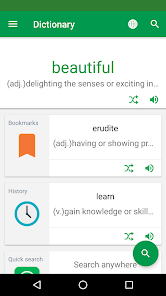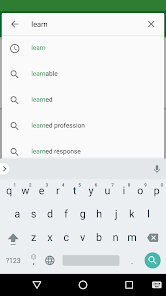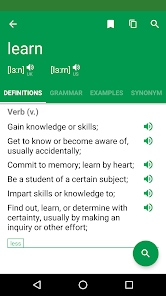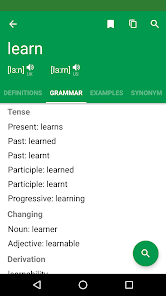
Erudite Dictionary Translator
Apps Screenshots
Editor Evaluation
I've been using Erudite Dictionary Translator for a while now, and it's honestly become my go-to app for looking up words and translating stuff on the fly. It's basically a dictionary and translator rolled into one, handling a ton of different languages. I think it first launched around 2015 on the Google Play Store, and it's been getting updates regularly ever since. The app is totally free to download, which is great, and you don't even need to register or sign up to start using it. There are some in-app ads, but they're not too intrusive, and you can get an ad-free version through an in-app purchase if they bug you. It's got a lot of installs, well over a million last time I checked on Google Play, so it's pretty popular.
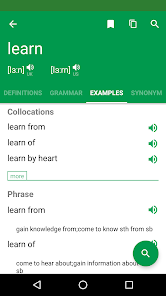
Using the app is straightforward. You just open it up, type in a word or phrase, and it gives you the definition, translation, and sometimes even examples. One thing I like is you can download offline dictionary packs from the Google Play app's settings, which is super handy when I'm somewhere without a signal. A tip I'd give is to use the word list feature—you can save words you look up and practice them later, which helps a ton for learning. Also, the app lets you pick your native language from a huge list, so the translations feel more natural than some other apps I've tried.
I compared this with a few other apps like Google Translate and Microsoft Translator, but I keep coming back to Erudite Dictionary Translator mainly because it feels less like a generic tool and more like a proper dictionary. Google Translate is fine for quick phrases, but it often gives clunky translations for single words. This app seems to have better definitions and more context. Plus, the offline feature is a lifesaver that the big translation apps sometimes lock behind a paywall. I just find it more reliable for real study and reading—not just for travel or quick chats.
Capabilities
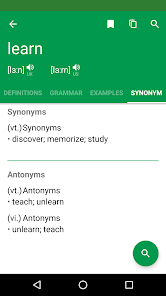
- 📚 Comprehensive dictionary mode: Unlike Google Translate which focuses almost solely on translations, this app gives you full dictionary definitions with parts of speech, usage notes, and synonyms. It feels more like having a real book on your phone, which is perfect when you're really trying to understand a word in depth rather than just getting a quick match.
- 📲 Offline translation packs: This is a huge feature for me. While apps like iTranslate require a subscription for offline use, Erudite Dictionary Translator lets you download languages for free from inside the app. You just go into Google Play's settings for the app and grab the pack you need—no extra charges or logins required.
- 🔊 Text-to-speech with multiple accents: The pronunciation feature actually sounds natural, letting you pick between different accents for languages like English or Spanish. Other similar apps often have a robotic voice or only offer one style, but this one gives you more control over how you hear the words spoken.
Highlights
- ✅ Completely free to install and use: A lot of dictionary apps on Google Play, like Advanced English Dictionary, push paid versions or hide features behind subscriptions. Erudite Dictionary Translator gives you the core functions without asking for your credit card or forcing you to register.
- ✅ Huge language selection you can customize: Compared to apps like WordReference which specialize in a few languages, this one supports dozens from the get-go. You can pick your main language and then add others as needed, making it super flexible for polyglots or travelers.
- ✅ Clean, ad-based model you can tolerate: The ads are there but they aren't popping up every second like in some free translator apps. And if you really hate them, the one-time purchase to remove them is cheap and actually works, unlike some apps that still show sponsored content.
Lowlights
- ❌ Interface feels a bit dated: Compared to modern apps like Google Translate which have a sleek, minimal design, Erudite Dictionary Translator looks more like a tool from a few years ago. The menus aren't as smooth, and the layout can feel cluttered on smaller screens.
- ❌ Limited community or shared content: Unlike apps such as Anki or Memrise which let you share word lists or flashcards, this app's word list feature is entirely local to your device. You can't easily share your saved words with friends or download community-made lists, which limits its use for group study.
- ❌ In-app purchase for ad removal isn't linked to account: If you switch phones or uninstall the app, you have to buy the ad-free version again. Apps like Dictionary.com tie purchases to your Google Play account, so you keep the benefit. This feels a bit unfair for a paid upgrade.
Related Recommendation Data


Disclaimer
1. All trademarks, product names, and company names featured on this site belong to their respective owners.
2. Storageapk provides specialized soccer applications developed by our in-house soccer team, accompanied by comprehensive details such as developer contact info, user ratings, and app screenshots.
3. As part of our compliance efforts, Storageapk adheres to the Digital Millennium Copyright Act (DMCA) and responds to valid infringement notices in accordance with the DMCA and other relevant laws.
4. It is important to note that Storageapk is not affiliated with any app developer, nor do we create any applications or games ourselves.
5. Should you be an owner or copyright representative wishing to have your information taken down, you may contact us via email at [email protected].
6. All website content strictly follows the guidelines outlined in the Google Ads advertising policies and the Google Unwanted Software Policy.
What You Like