QR Code Reader: QR Scanner
Apps Screenshots
Editor Evaluation
I've been using QR Code Reader: QR Scanner by WECHOICE MOBILE for a few months now, and it's become my go-to tool for scanning any code I come across. As the name suggests, it's a dedicated barcode and QR code scanning app designed to read various formats. It first launched on Google Play Store around 2019 and has racked up over 50 million installs since then, which is pretty impressive. What's great is that it's completely free to download, and you don't need to register or sign up to use it. There are some non-intrusive in-app ads, and you can purchase a premium version to remove them, but the basic scanning works perfectly without spending a cent.
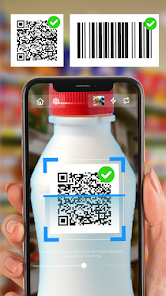
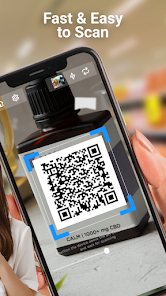
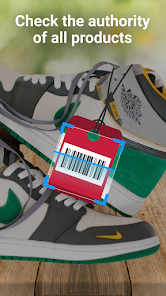
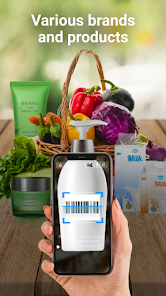
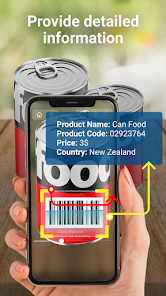
Using the app is super straightforward. You just open it, point your phone camera at any QR code or barcode, and it instantly recognizes the content. Whether it's a website link, WiFi password, or product info, the app processes it in seconds. A tip I've picked up is to make sure you have decent lighting when scanning, as the camera needs a clear view of the code. Also, if the code is tiny or far away, you can zoom in manually for better accuracy. I often use it for scanning menus at restaurants or digital tickets at events, and it rarely fails me.
Compared to other QR scanner apps like QR Reader by Lemon Studio or even the built-in camera scanner on my phone, this one stands out for its simplicity and speed. I chose it over others because it doesn't bombard you with unnecessary features or ask for weird permissions. The interface is clean, and it focuses solely on scanning. For a free download from Google Play, it's hard to beat the value. I've tried a few similar tools, but this one just feels more reliable for everyday use.
Capabilities
- 📷 Instant scanning without manual focus - The app automatically detects and decodes QR and barcodes as soon as you point your camera, which saves time compared to apps like QR Scanner Pro that sometimes require you to tap the screen to initiate scanning.
- 🔦 Built-in flashlight integration - For dark environments, you can toggle a flashlight directly from the scanning interface. This is something I missed in other tools like Barcode Scanner Plus, which forces you to leave the app to turn on your phone's light.
- 📊 History log for all scans - Every code you scan is saved in a history section, so you can revisit links or info later. Similar apps like ScanLife don't offer this feature without setting up an account, but here it's available right away.
- 📸 QR code generation - You can create your own QR codes for text, URLs, or contacts. This is a handy extra that sets it apart from simpler scanners that only read codes, not generate them.
Highlights
- ⚡ Speed - It decodes codes faster than QR Reader by Lemon Studio, especially in low-light conditions. I've noticed a real difference when scanning at dimly lit events.
- 🛡️ Privacy-focused design - Unlike QR Scanner 3D or similar apps that request access to your photos, contacts, or GPS, this one only asks for camera permission. That gives me peace of mind.
- 🧩 Minimal interface - The app is clutter-free with no pop-ups or tutorials on launch. It's more user-friendly than Barcode Scanner Pro, which often throws too many options at you right away.
Lowlights
- 🔇 No batch scanning option - If you have multiple codes to scan in sequence, you have to go back to the main screen each time. Apps like QR Scanner 3D offer a continuous scan mode that this one lacks.
- 📶 Occasional lag on older devices - On my dad's older Android phone, the camera takes a couple of extra seconds to focus compared to Google Lens, which seems more optimized for low-end hardware.
- 🪧 No auto-adjustment for damaged codes - If a QR code is scratched or wrinkled, the app struggles to read it. I've had better luck with QR Reader by Lemon Studio in these scenarios, as it often still decodes slightly damaged codes.
Related Recommendation Data


Disclaimer
1. All trademarks, product names, and company names featured on this site belong to their respective owners.
2. Storageapk provides specialized soccer applications developed by our in-house soccer team, accompanied by comprehensive details such as developer contact info, user ratings, and app screenshots.
3. As part of our compliance efforts, Storageapk adheres to the Digital Millennium Copyright Act (DMCA) and responds to valid infringement notices in accordance with the DMCA and other relevant laws.
4. It is important to note that Storageapk is not affiliated with any app developer, nor do we create any applications or games ourselves.
5. Should you be an owner or copyright representative wishing to have your information taken down, you may contact us via email at [email protected].
6. All website content strictly follows the guidelines outlined in the Google Ads advertising policies and the Google Unwanted Software Policy.
What You Like