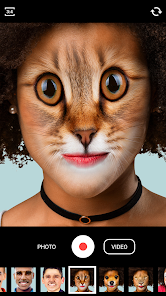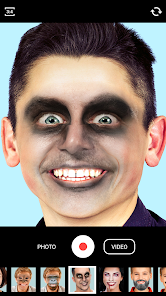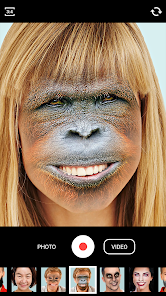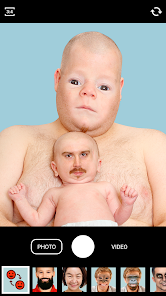
Face Swap
Apps Screenshots
Editor Evaluation
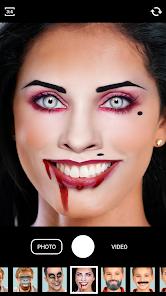
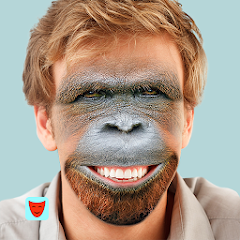
Face Swap, an app developed by Wombatica Software, first launched on the Google Play Store in 2013 and has since been installed over 100 million times. It is a face-swapping and face-editing utility that lets you swap faces with friends, celebrities, or even animated characters in just a few taps. It is free to download from Google Play, though it includes in-app purchases for premium features and occasional in-app ads. No mandatory registration is required to use the app, but signing up unlocks extra tools. When using the app, you simply take a photo or select one from your gallery, then highlight the faces you want to swap. A neat tip is to crop faces tightly for better blending—this avoids awkward mismatches around the edges. Compared to similar apps like Reface or Snapchat, Face Swap feels more straightforward and less gimmicky. I chose it over those because it focuses purely on swapping without all the extra noise. It just gets the job done, and the results are surprisingly smooth for a free tool.
Capabilities
- 🔄 Real-time face detection: Unlike Reface which relies on uploaded images for video swaps, Face Swap instantly picks out multiple faces in any photo, letting you swap between several people at once without manual cropping. This makes group photos a breeze.
- 🔄 Fun animations: The app offers built-in animated frames and templates where you can insert swapped faces into funny scenarios, like dancing figures or movie posters. Reface has similar features but locks more behind a paywall; Face Swap gives a decent batch for free.
- 🔄 Simple editing tools: You can adjust the swap area size or blend edges manually if the auto-snap looks off. Apps like Snapchat don't offer this level of control in their face swap feature, so you get more precision here.
Highlights
- 🌟 No learning curve: The interface is dead simple—open the app, pick a picture, tap to swap. Reface requires you to scroll through menus and select a video first, which takes extra steps.
- 🌟 Works offline: After you download it from Google Play, you can swap faces without internet. Snapchat needs a connection for all its features, so this is a big plus when you're traveling.
- 🌟 Lightweight install: The app size is small, so it doesn't hog phone memory like some rivals, and it runs smoothly on older devices without lagging.
Lowlights
- ⚠️ Limited to photos: Unlike Reface which handles video swaps and GIFs, Face Swap only works on still images. If you want moving face swaps, you'll need that other app.
- ⚠️ Outdated interface: The design looks a bit old compared to more modern apps like Snapchat, with clunky buttons that feel stuck in 2013. It could use a refresh from Google Play updates.
- ⚠️ Inconsistent accuracy: On low-light or messy backgrounds, the face detection can miss or misalign, forcing you to redo the swap. Reface handles tricky shots better in my experience.
Related Recommendation Data


Disclaimer
1. All trademarks, product names, and company names featured on this site belong to their respective owners.
2. Storageapk provides specialized soccer applications developed by our in-house soccer team, accompanied by comprehensive details such as developer contact info, user ratings, and app screenshots.
3. As part of our compliance efforts, Storageapk adheres to the Digital Millennium Copyright Act (DMCA) and responds to valid infringement notices in accordance with the DMCA and other relevant laws.
4. It is important to note that Storageapk is not affiliated with any app developer, nor do we create any applications or games ourselves.
5. Should you be an owner or copyright representative wishing to have your information taken down, you may contact us via email at [email protected].
6. All website content strictly follows the guidelines outlined in the Google Ads advertising policies and the Google Unwanted Software Policy.
What You Like