Warp My Face: Fun Photo Editor
Apps Screenshots
Editor Evaluation
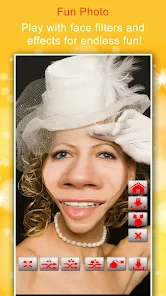
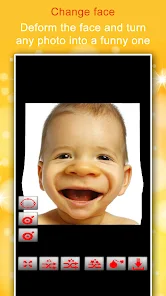
Warp My Face: Fun Photo Editor is a casual photo manipulation app developed by Kaufcom Games Apps Widgets. I first came across it on the Google Play Store around 2015, and it's also available on the Apple App Store. The app basically lets you distort and morph faces in photos just by swiping your finger over the image. It's completely free to download, and I don't think it ever asks you to register or sign up, which is nice. I've noticed that the Google Play page shows over 50 million installs, which is pretty impressive for such a silly little app. While the download is free, there are some ads that pop up, and you can make in-app purchases to remove them or unlock extra effects. If you just want to have a quick laugh by stretching someone's nose or making their eyes huge, this app does the job without any fuss.
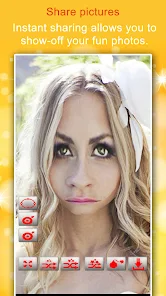
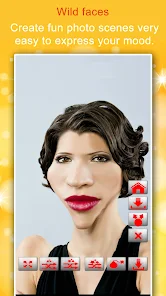
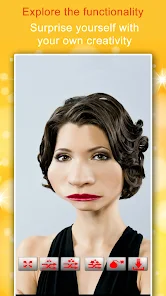
Using Warp My Face is dead simple. You just open the app, pick a photo from your gallery or take a new one, and then start swiping. When you swipe up or down on someone's nose, for instance, it stretches or shrinks it. If you want a big forehead, just push the top of the head upward. The trick is to go slow with your finger pressure if you want subtle changes, and if you mess up, there is an undo button that lets you go back step by step. One tip I learned is to use a photo with a clear, well-lit face because the app works better when it can detect the skin tone edges. Also, don't overdo the warping because once you push it too far, the image just looks like a broken mirror rather than funny.
I tried a few other apps like FaceApp and Snapchat before settling on this one. The thing is, FaceApp is great for realistic edits like aging or swapping genders, but it feels too serious for a quick joke. Snapchat has fun filters, but the results are temporary and you need to be in the moment. With Warp My Face, I can save the warped photo permanently and share it later. It's also much more straightforward since there's no social feed or story to worry about. I just choose a photo, warp it, and share it with my friends. It feels more like a silly toy than a serious editor, and that's exactly what I want.
Capabilities
- ๐ Real-time finger warp: This is the main feature that sets Warp My Face apart from apps like YouCam Perfect. You literally drag your finger on the screen and the face morphs instantly. There is no waiting for processing time or selecting complex tools. It feels like you're physically pulling putty on a picture, which makes the experience way more interactive and fun compared to other editors that need a bunch of tap-to-apply filters.
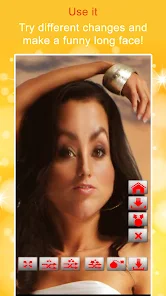
- ๐ Stretch and squeeze effects: Unlike apps such as PicsArt that offer general distortion, this app focuses entirely on face-specific warping. You can make someone's chin extra long or squeeze their eyes together like a cartoon character. The range of movement is huge, so you can go from a tiny adjustment to a massive exaggeration. That kind of freedom isn't as easy to find in typical photo editors.
- ๐ Simple undo system: I really appreciate that Warp My Face has a step-by-step undo. In apps like Snapseed, if you mess up a brush stroke, you have to either erase everything or start over. Here, you can just tap the undo button to go back to the last change you made. It saves a lot of frustration when you accidentally stretch an ear too far.
Highlights
- ๐ Completely free to start: You don't have to pay a cent to download and use Warp My Face. While apps like FaceApp hide good effects behind a subscription, this app lets you play with all the warp tools from the very beginning.
- ๐ Works offline: No internet connection is required to edit photos. Unlike Instagram or Snapchat that rely on server-side filters, this app processes everything on your phone, so you can use it on a plane or in the subway.
- ๐ No sign-up needed: I'm tired of apps that force you to create an account just to try them out. Warp My Face doesn't ask for your email or phone number. You just open it and start making silly faces right away.
Lowlights
- ๐ Too much ad interference: The app shows ads between almost every edit. When you finish warping a photo, a full-screen video ad plays before you can save it. Other similar apps like Photo Warp have fewer ads, which makes the flow smoother.
- ๐ Lacks a true eraser tool: If you accidentally warp an area you didn't mean to, you can only undo the last step, not erase part of the warp. In apps like TouchRetouch, you can spot-fix an area. Here, you have to restart if the mistake is too far back.
- ๐ Poor image quality on export: The saved photos often come out with a little less resolution than the original. I noticed that apps like Adobe Photoshop Express preserve the image quality much better when you apply a filter.
Related Recommendation Data


Disclaimer
1. All trademarks, product names, and company names featured on this site belong to their respective owners.
2. Storageapk provides specialized soccer applications developed by our in-house soccer team, accompanied by comprehensive details such as developer contact info, user ratings, and app screenshots.
3. As part of our compliance efforts, Storageapk adheres to the Digital Millennium Copyright Act (DMCA) and responds to valid infringement notices in accordance with the DMCA and other relevant laws.
4. It is important to note that Storageapk is not affiliated with any app developer, nor do we create any applications or games ourselves.
5. Should you be an owner or copyright representative wishing to have your information taken down, you may contact us via email at [email protected].
6. All website content strictly follows the guidelines outlined in the Google Ads advertising policies and the Google Unwanted Software Policy.
What You Like