Kanji Search +
Apps Screenshots
Editor Evaluation
Kanji Search Plus is a specialized reference tool for anyone learning or using Japanese kanji. It's not a game or a social app; it's a utility app first launched in 2015, available on both the Google Play Store and Apple's App Store. On Google Play, the app has over 500,000 installs and it's free to download. You don't need to register an account to use it, which I really appreciate. There are no forced ads blocking your view, but there is an optional in-app purchase to remove a small banner ad and support the developer.
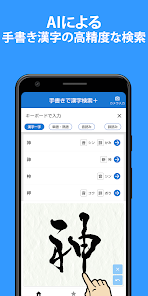
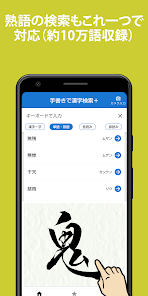
Using the app is straightforward. You can search for a kanji by using its on-yomi (Chinese reading), kun-yomi (Japanese reading), or by drawing the character directly on the screen with your finger. The drawing recognition is surprisingly accurate for even complex strokes. A big tip for new users is to take advantage of the radical lookup feature. If you can't draw a kanji perfectly, breaking it down by its radical parts is often faster. The app also shows stroke order, common words using that kanji, and its JLPT level.
I originally tried a few other kanji dictionary apps on the Google Play Store, like the official Jisho app or Takoboto. They are good, but I kept coming back to Kanji Search Plus. The simple reason is that the drawing search function here feels much more responsive and precise. Other apps sometimes lag or misinterpret my messy handwriting, but this one handles it nearly every time. It feels like it was built specifically for quick, real-world reference rather than studying.
Capabilities
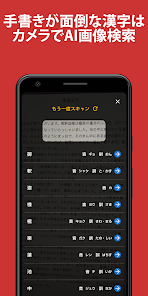
- 🔍 Super responsive drawing search: This is the app's main reason for existing. You can scribble a kanji you saw on a sign or in a manga, and it finds the correct character in under a second. Competing apps like “Japanese Kanji Study” require you to know the exact stroke count or radical, which is slower when you're in a hurry.
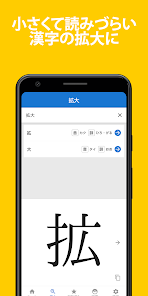
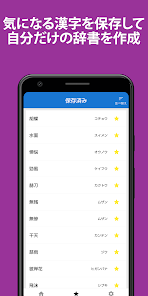
- 📚 Detailed breakdown per character: For each kanji, you get the stroke order, multiple common compounds with readings, the radical breakdown, and even the historical Kangxi radical number. It goes much deeper than what you get from a standard dictionary app like “imiwa?”
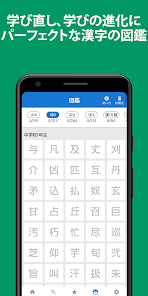
- 🏷️ JLPT level tags: Every kanji is tagged with its N5 to N1 level. This is incredibly useful for students preparing for the test. You can filter your search or just scan through a list to see what you need to study next.
Highlights
- ✅ Extremely lightweight: The app is tiny in size compared to “Japanese Kanji Tree” which tries to cram in flashcard games and quizzes. Kanji Search Plus focuses only on being a dictionary, which means it opens instantly and doesn't drain your phone battery.
- ✅ No account forced: Unlike some cloud-based apps, there is zero requirement to sign up or log in. You install it and it works. That's a huge plus for privacy.
- ✅ Accurate historical data: The readings and compounds seem to be very complete, covering rare usages that you won't find in beginner-level apps like “Obenkyo”. It's a proper scholarly resource.
Lowlights
- ❌ Outdated interface: The UI looks like it hasn't been updated in years. Compared to the modern, clean look of “Japanese Kanji Study”, this app feels dated and a bit clunky to navigate.
- ❌ No spaced repetition system: If you want to memorize kanji, this isn't the app. It's purely a lookup tool. You'd need to pair it with an SRS app like “Anki” for actual learning.
- ❌ Limited word examples: While compounds are good, the example sentences are sparse. “Jisho” or “Takoboto” offer full sentence examples showing usage, which is more helpful for understanding context.
- ❌ No audio pronunciation: The app does not include native audio readings for words. Many other dictionary apps include a speaker icon to hear the pronunciation, which is a big missing feature here.
Related Recommendation Data


Disclaimer
1. All trademarks, product names, and company names featured on this site belong to their respective owners.
2. Storageapk provides specialized soccer applications developed by our in-house soccer team, accompanied by comprehensive details such as developer contact info, user ratings, and app screenshots.
3. As part of our compliance efforts, Storageapk adheres to the Digital Millennium Copyright Act (DMCA) and responds to valid infringement notices in accordance with the DMCA and other relevant laws.
4. It is important to note that Storageapk is not affiliated with any app developer, nor do we create any applications or games ourselves.
5. Should you be an owner or copyright representative wishing to have your information taken down, you may contact us via email at [email protected].
6. All website content strictly follows the guidelines outlined in the Google Ads advertising policies and the Google Unwanted Software Policy.
What You Like