
MMGuardian Child Phone App
Apps screenshots
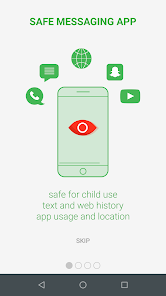
MMGuardian Child Phone App Introduction
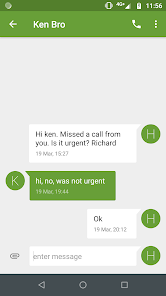
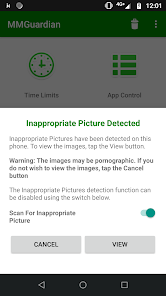
MMGuardian Child Phone App is a parental control app designed to help parents monitor and manage their child's smartphone usage. You can use this app to set screen time limits, block inappropriate apps and websites, and track your child's location in real time. It also lets you view text messages and call logs, so you can stay informed about who your child is communicating with. The app is easy to install and works on both Android and iOS devices, giving parents peace of mind.
To get started, simply download the MMGuardian app from the Google Play Store or the Apple App Store. After installation, you will need to create a parent account and then install the companion app on your child's phone. The setup process is straightforward with clear instructions. If you cannot find it on the Google Play Store, or if your device does not have it, you can visit the official MMGuardian website to download the latest APK file directly by clicking the download button. This ensures you always have access to the most recent version.
Using MMGuardian is simple. From your parent dashboard, you can customize various settings like bedtime schedules to lock the phone, set daily screen time allowances, and create lists of blocked or allowed contacts. The app runs quietly in the background on your child's device. Regular updates from MMGuardian.com add new features and improve security, making it a reliable tool for modern digital parenting. Keeping the app updated is important for the best performance and safety features.
Compare similar apps
Compared to other parental control apps like Qustodio or Bark, MMGuardian offers strong, focused features for basic monitoring. A key advantage is its dedicated child phone solution, which simplifies management by combining calling, texting, and monitoring into one device plan. It provides reliable location tracking and call/SMS logging, which are essential for many parents. However, it may not have as extensive social media monitoring as some competitors like Bark, which scans more platforms for potential risks. For parents primarily concerned with screen time, app blocking, and basic communication oversight, MMGuardian is a solid and straightforward choice.
One potential disadvantage is that its web filtering might not be as granular or customizable as a service like Norton Family. Also, while the app is effective, the user interface for the parent portal can feel a bit less modern compared to apps like Google Family Link. However, MMGuardian often excels in providing detailed reports and alerts for texts and calls, which is a standout feature. For families looking for a no-fuss app that covers the fundamentals of phone monitoring well, downloading MMGuardian from the Google Play Store is a worthwhile option to explore.
Pros
- ๐ Focused on Safety Over Just Limits: Compared to something like Screen Time, MMGuardian is less about productivity and more about actual child safety, with strong monitoring for calls, texts, and web use.
- ๐ Independent from Device OS: It works as a standalone app you install, so it offers features (like SMS monitoring) that built-in solutions like Apple's Screen Time or Google Family Link can't or won't provide.
- ๐ Comprehensive Alert System: The app sends timely alerts for things like geofence breaches, attempted access to blocked content, or new app installs, keeping you in the loop better than more passive apps.
Cons
- ๐ Can Be Complex to Configure: With so many features, the initial setup and fine-tuning can feel overwhelming compared to simpler apps like Kids Place.
- ๐ Subscription for Full Features: To unlock the app's most powerful tools (like social media monitoring), you need a paid subscription, whereas some competitors offer more in their free tier.
- ๐ Occasional Performance Hiccups: Like any powerful app, it can sometimes slow down the child's device or have sync delays, which isn't as common with lighter alternatives.
Related recommendation data


Disclaimer
1. All trademarks, product names, and company names featured on this site belong to their respective owners.
2. Storageapk provides specialized soccer applications developed by our in-house soccer team, accompanied by comprehensive details such as developer contact info, user ratings, and app screenshots.
3. As part of our compliance efforts, Storageapk adheres to the Digital Millennium Copyright Act (DMCA) and responds to valid infringement notices in accordance with the DMCA and other relevant laws.
4. It is important to note that Storageapk is not affiliated with any app developer, nor do we create any applications or games ourselves.
5. Should you be an owner or copyright representative wishing to have your information taken down, you may contact us via email at [email protected].
6. All website content strictly follows the guidelines outlined in the Google Ads advertising policies and the Google Unwanted Software Policy.
What you like