Monster Call: Prank Sound
Apps Screenshots
Editor Evaluation
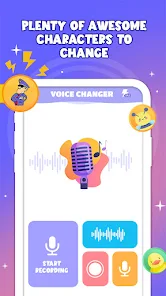
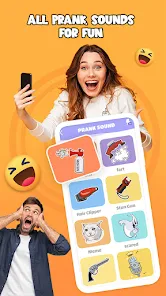
Monster Call: Prank Sound is a quirky entertainment app by GAdventure that lets you pull off hilarious pranks using realistic monster noises and creepy sound effects. It first launched a couple of years back and is available on the Google Play Store and App Store. The app is free to download and install, and it doesn't require any registration to start using right away. There are in-app purchases for extra sound packs, and you'll encounter some ads, but they are not too intrusive. On Google Play, it has racked up over a million installs, which shows how popular it is for quick laughs among friends and family.
Using the app is super simple. You open Monster Call: Prank Sound, browse through a library of spooky sounds like ghostly wails or monster growls, and tap the play button. For the best effect, hide your phone nearby—like under a couch or in a jacket pocket—or get a friend to trigger the sound remotely. A cool tip is to schedule a sound to play later using the timer feature, so it goes off when your target least expects it. This app is great for pranks without needing any complicated setup.
I chose Monster Call: Prank Sound over similar apps like Funny Prank Sounds or Prank Caller because it feels more immersive with those high-quality monster effects. Other apps often have goofy, cartoonish noises, but this one focuses on creepy realism that catches people off guard. Plus, it's lightweight and doesn't drain your battery, making it a solid pick for spontaneous pranks. If you're into scaring your mates for a good laugh, this app is worth checking out on Google Play.
Capabilities
- 👻 Realistic Monster Library: Unlike apps like Funny Prank Sounds, which offer a mix of silly noises, Monster Call: Prank Sound has a library of over 50 authentic monster sounds—like dungeon beasts and haunted whispers. It stands out because each sound is high-quality and immersive, making your pranks more convincing. This is its killer feature for getting genuine jumps from people.
- 👻 Timer Prank Mode: You can schedule sounds to play at a specific time, which sets it apart from basic prank apps. For example, you can set a roar to go off during a quiet moment at a party. This feature requires no second device, unlike some similar apps that need a friend to trigger sounds manually, keeping your hands clean.
- 👻 Easy Share Options: The app lets you share sound clips via messaging or social media, which is rare in this niche. While Prank Caller limits you to calls, here you can send a creepy audio file to freak out friends even when you're not together. It's a creative twist that boosts its value for group fun.
Highlights
- 🌟 No Registration Hassle: You can download and use Monster Call: Prank Sound without creating an account, unlike some apps like Scarey Prank that demand login. This makes it instant and private.
- 🌟 High Success Rate for Scares: The realistic sounds consistently deliver good reactions. I've used it in a group, and it outshined other apps because the audio is not cheesy—people actually flinch.
- 🌟 Light on Storage: The app is tiny, around 10 MB, so it won't clog your phone. Competitive apps like Monster Prank often take up more space with extra features you don't need.
- 🌟 Regular Updates: The developer adds new sound packs often, keeping the experience fresh. This beats static apps like Spooky Sounds, which rarely refresh content.
Lowlights
- 💥 Limited Free Content: The free version only gives you about 10 sounds, and you'll need in-app purchases for the best ones. Apps like Funny Prank Sounds offer more free options, which can feel unfair.
- 💥 Ads Can Be Annoying: There are pop-up ads after each prank, which disrupt the fun. Some users on Google Play in reviews, including myself, wish they were less frequent, similar to issues with ads in Prank Caller.
- 💥 No Offline Mode: You need internet to download sounds initially, which is a pain if you're in a no-signal area. Other apps like Scarey Prank allow offline use after install, so this holds it back.
- 💥 Simple Interface: The UI is basic and lacks customization, like themes or volume sliders. Compared to Prank Master, which has a more polished design, Monster Call feels a little rough around the edges.
Related Recommendation Data


Disclaimer
1. All trademarks, product names, and company names featured on this site belong to their respective owners.
2. Storageapk provides specialized soccer applications developed by our in-house soccer team, accompanied by comprehensive details such as developer contact info, user ratings, and app screenshots.
3. As part of our compliance efforts, Storageapk adheres to the Digital Millennium Copyright Act (DMCA) and responds to valid infringement notices in accordance with the DMCA and other relevant laws.
4. It is important to note that Storageapk is not affiliated with any app developer, nor do we create any applications or games ourselves.
5. Should you be an owner or copyright representative wishing to have your information taken down, you may contact us via email at [email protected].
6. All website content strictly follows the guidelines outlined in the Google Ads advertising policies and the Google Unwanted Software Policy.
What You Like