Solitaire by Staple Games
Apps Screenshots
Editor Evaluation
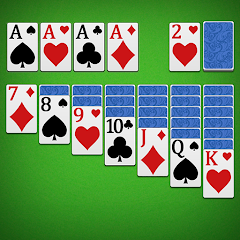
So, if you're into classic card games on your phone, you've probably seen Solitaire by Staple Games pop up in the Google Play Store. It's exactly what it sounds like: a digital version of the timeless Klondike Solitaire, built specifically for mobile play. This isn't one of those cross-platform titles you'll find on Steam or a gaming console like the Xbox or Switch – it's a pure Android app meant for quick sessions on the go. The game first launched a while back and has racked up over 10 million installs, which tells you a lot about its staying power. The best part? It's completely free to download and play. There are in-game purchases, though, usually for things like removing ads or getting extra customization options for your cards and backgrounds. Most of these purchases range from a couple of bucks to maybe five dollars max, so it's not a huge barrier. And yes, you'll encounter in-app ads, but they're the standard banner and video type, not the annoying pop-ups that ruin the experience. If you want a clean, straightforward solitaire app for Android, this is a solid pick.
Playing the game is super intuitive. You tap and drag cards to build sequences in descending order, alternating colors, exactly like the physical version. The best part of this app is how smooth and responsive the touch controls are. I've played a ton of solitaire apps on Google Play, and some of them have this laggy, imprecise feel that drives me crazy. This one? It's buttery. My favorite part has to be the daily challenges. They throw in a fresh puzzle every day with a set number of moves or a specific goal, which keeps the game from feeling like you're just shuffling and redealing endlessly. It adds that little bit of strategy and pressure that I really enjoy. Plus, the clean, minimal design – no flashy nonsense – lets me focus on the cards. Whether I'm waiting for my coffee or killing time on the bus, installing this app means I always have a satisfying brain teaser ready to go.
When you compare it to other solitaire games on the Android market, like Solitaire by Brainium or the classic Microsoft Solitaire Collection, Staple Games' version holds its own. Brainium's version is great for its visuals, but sometimes it feels a bit too slow. Microsoft's collection offers multiple game modes, which is cool, but it's heavy on ads and pushes you to subscribe. Why do I recommend this one over those? Honestly, it's the balance. Staple Games nails the core experience without bloating it. The daily challenges are a hook that keeps me coming back, something I don't always get with the simpler clones. If you're looking for a reliable, free download that respects your time and doesn't beg for money every five seconds, this is the app to grab. It's just a solid, well-made solitaire game for Android users who want a stress-free, classic card game fix.
Capabilities
- Daily Challenges 🎯: Each day brings a unique puzzle with specific goals, like finishing in a certain number of moves. This keeps the game fresh and tests your strategic thinking way more than the standard random deal. Other apps, like Solitaire by Brainium, don't offer this kind of daily structure, which makes this one feel more engaging long-term.
- Clean and Customizable Design 🎨: The interface is clutter-free, but you can still tweak card backs, table colors, and backgrounds. Compared to the Microsoft Solitaire Collection, which can feel a bit busy, this app lets you tailor the look without overwhelming you with options. It's simple but effective.
- One-Tap Draw Option 🖱️: You can cycle through the deck with a single tap, making the flow feel fast and natural. Some solitaire apps, like the generic ones on the Google Play Store, make you drag every single card, which slows down the pace. This feature saves time and keeps the rhythm smooth.
Highlights
- Responsive Touch Controls 👍: The drag-and-drop feels incredibly precise, way better than many similar games like Solitaire by Brainium, where the cards sometimes stick or lag. On this Android app, every move registers instantly, which is crucial for a fast-paced game. It just feels right in your hands.
- Rewarding Progression System 💎: You earn coins and experience for completing games and daily challenges, unlocking new backgrounds and card designs. Unlike the Microsoft Solitaire Collection, which mostly just tracks stats, this gives you tangible rewards that make you want to keep downloading and playing. It adds a nice layer of motivation.
- Offline Play Support 📵: You can launch the app without an internet connection, which is a lifesaver for commutes or areas with spotty service. Many other solitaire games on the Google Play Store require a constant connection for ads or tracking, but this one works fully offline. It's a huge plus for real-world use.
Lowlights
- Intrusive Ad Frequency 🛑: While the game is free, the ads can pop up after every few deals, especially the video ads that sometimes show even after you've declined them. Other games, like Solitaire by Brainium, handle ad placement more gracefully, giving you longer stretches of uninterrupted play. It can kill the flow here.
- Limited Game Modes 🧩: You only get Klondike solitaire and daily challenges. If you're looking for variations like Spider, FreeCell, or Pyramid, you won't find them. The Microsoft Solitaire Collection offers a whole suite of modes, so this feels a bit narrow for players who enjoy variety. It's great for purists, but not for explorers.
- Basic Sound Design 🔇: The sound effects are pretty minimal – just a shuffle noise and a card slap. There's no background music or ambient theme, which makes it feel less polished than some competitors. Brainium's game has calming tunes that enhance the experience, while this app's audio feels like an afterthought, even on the free download.
Related Recommendation Data


Disclaimer
1. All trademarks, product names, and company names featured on this site belong to their respective owners.
2. Storageapk provides specialized soccer applications developed by our in-house soccer team, accompanied by comprehensive details such as developer contact info, user ratings, and app screenshots.
3. As part of our compliance efforts, Storageapk adheres to the Digital Millennium Copyright Act (DMCA) and responds to valid infringement notices in accordance with the DMCA and other relevant laws.
4. It is important to note that Storageapk is not affiliated with any app developer, nor do we create any applications or games ourselves.
5. Should you be an owner or copyright representative wishing to have your information taken down, you may contact us via email at [email protected].
6. All website content strictly follows the guidelines outlined in the Google Ads advertising policies and the Google Unwanted Software Policy.
What You Like