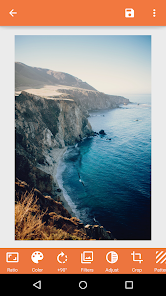
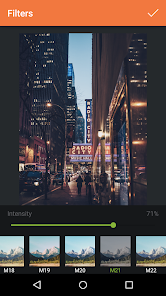
Square InPic - Photo Editor &
Apps Screenshots
Editor Evaluation
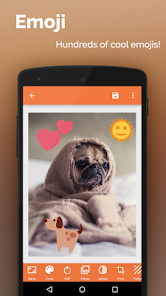
I've been using Square InPic - Photo Editor & from Studio 8 Apps for a few months now, and it's become my go-to for quick photo tweaks on my phone. This app is basically a straightforward photo editor that helps you easily crop images into square formats and add filters, text, and stickers. It first launched back in 2016 and is available on both the Google Play Store and the Apple App Store. From what I've seen, the Google Play version shows over 10 million installs, which is pretty impressive. The best part? It's totally free to download, and you don't need to register or log in to start using it. There are some in-app purchases if you want premium filters or want to remove ads, and yes, there are occasional in-app ads, but they're not too intrusive.
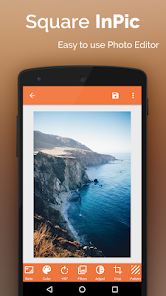
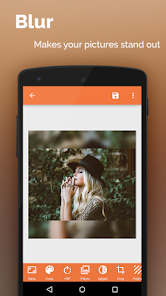
Using the app is super intuitive. When you open it, you just choose a photo from your gallery, and it immediately presents you with editing tools. The main feature is the square crop tool, which is great for Instagram posts. I usually pick a background color or pattern to fill the extra space around my image to make it pop. A handy tip is to play around with the blur background option instead of a solid color — it gives your photo a more professional look. Also, the text tool lets you layer quotes over your pictures, and the sticker library is decent for adding a fun touch. No complicated menus, just tap and go.
I picked Square InPic over other similar apps like Instasize and Snapseed because of its simplicity. While Instasize offers similar square cropping, I found it a bit slower and clunky with ads. Snapseed is great for advanced editing, but it doesn't focus specifically on square layouts. Square InPic nails that one job really well without overwhelming you with features. For a casual user like me who just wants to post nice-looking photos without spending much time, this app hits the sweet spot. It's not trying to be a full Photoshop replacement; it's just a solid, easy-to-use photo tool.
Capabilities
- ⭐️ Square Crop Made Simple: Unlike Adobe Lightroom, which requires you to manually adjust crop ratios, Square InPic has a one-tap square crop button. It automatically suggests a perfect 1:1 frame for your photo, and you can drag it to reposition. This saves me so much time when prepping images for social media.
- ⭐️ Colorful Backgrounds and Patterns: While apps like PicsArt offer similar features, Square InPic's background options feel more curated. You get dozens of solid colors and trendy patterns (like polka dots or gradients) that you can apply behind your photo. It's much quicker than creating a custom background in a more complex editor.
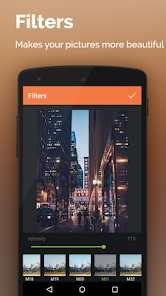
- ⭐️ Built-in Filters with a Vintage Vibe: The filter collection has a nice vintage and retro feel that stands out. On Google Play, a lot of photo editors go overboard with too many filters, but Square InPic keeps it to about 20-30 solid ones. I especially love the "Fade" and "Warm" presets for giving my travel photos a cozy look.
- ⭐️ Text Overlay Without the Hassle: Adding text in Square InPic is a breeze. You just tap the text tool, type your caption, and choose from a handful of fonts. It's not as robust as Canva's text options, but for adding a simple quote or date stamp to a photo, it does the job instantly.
Highlights
- 🕒 Perfect for Quick Edits: Compared to Adobe Photoshop Express, Square InPic opens in under 2 seconds and you can finish a crop and filter in 30 seconds. No waiting, no complex layers.
- 🕒 No Login Required: Unlike many apps on the Google Play Store that force you to create an account, Square InPic respects your privacy. You download the app and start editing immediately, which is rare these days.
- 🕒 Lightweight on Storage: The app itself is only about 25 MB. It doesn't clutter your phone with junk files. Instasize, for example, was taking up over 100 MB on my device before I uninstalled it.
Lowlights
- 💔 Limited Advanced Editing: If you need to remove objects or do detailed retouching, Square InPic can't help you. Snapseed or Lightroom are better for that. It strictly sticks to basic adjustments like brightness and contrast.
- 💔 Font Selection is Small: There are only about 10 fonts for the text tool. Apps like PicsArt offer hundreds. If you want a very specific aesthetic, you might be frustrated here.
- 💔 Occasional Full-Screen Ads: While ads aren't terrible, sometimes a full-screen ad pops up right when you finish editing, which can interrupt the flow. You can watch a video to remove them for a short time, but it's a minor annoyance.
Related Recommendation Data


Disclaimer
1. All trademarks, product names, and company names featured on this site belong to their respective owners.
2. Storageapk provides specialized soccer applications developed by our in-house soccer team, accompanied by comprehensive details such as developer contact info, user ratings, and app screenshots.
3. As part of our compliance efforts, Storageapk adheres to the Digital Millennium Copyright Act (DMCA) and responds to valid infringement notices in accordance with the DMCA and other relevant laws.
4. It is important to note that Storageapk is not affiliated with any app developer, nor do we create any applications or games ourselves.
5. Should you be an owner or copyright representative wishing to have your information taken down, you may contact us via email at [email protected].
6. All website content strictly follows the guidelines outlined in the Google Ads advertising policies and the Google Unwanted Software Policy.
What You Like