Rolling Icon: 3D Wallpaper
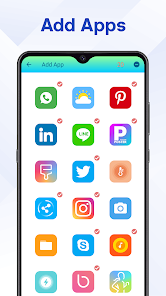
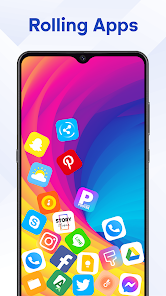
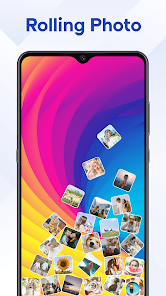
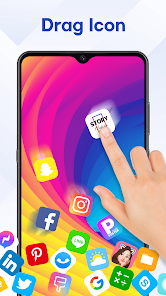
Apps Screenshots
Editor Evaluation
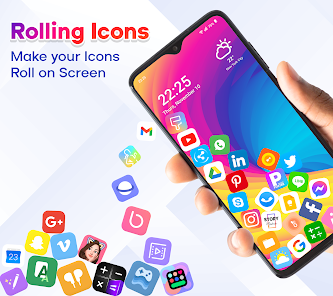
Rolling Icon: 3D Wallpaper is a wallpaper customization app that uses motion effects to make your phone's background look like it's moving or shifting in 3D space. It was first launched on the Google Play Store a few years back, and you can also find it on the App Store for iOS devices. The app has racked up over 10 million installs on Google Play alone, which shows it's pretty popular among users who want something more interactive than a static image. It's completely free to download, and you don't need to register or sign up to start using it right away. There are in-app ads, but they're not too intrusive—just a banner here and there. The app also offers in-app purchases if you want to unlock premium wallpapers or remove ads, but the free version gives you plenty of options to play with.
Using Rolling Icon: 3D Wallpaper is straightforward. After you download and install the app from Google Play, you open it up and browse through a library of wallpapers that have built-in 3D depth and parallax effects. You pick one, and the app uses your phone's gyroscope to track movement, so the wallpaper shifts as you tilt your device. A good tip is to try wallpapers with layered backgrounds, like landscapes or city scenes, because they look best with the 3D effect. You can also adjust the sensitivity of the motion in the settings, so if you want a subtle move or a more dramatic shift, it's easy to tweak. Another trick is to use the “live preview” feature before applying a wallpaper—this saves you from setting one and realizing it doesn't match your home screen icons.
Compared to similar apps like “Wallpaper Engine” or “3D Parallax Background,” I prefer Rolling Icon: 3D Wallpaper because it's simpler and lighter on your phone's resources. Wallpaper Engine has tons of features, but it's more geared toward PC users, and the mobile version can feel clunky. This app stays focused—just wallpapers with a cool 3D twist. The selection isn't as huge as some others, but the quality is consistent, and most of the designs feel polished rather than thrown together. Plus, it doesn't ask for unnecessary permissions, which I appreciate as a user who values privacy.
Capabilities
- 🎨 Parallax Effect That Actually Works – The standout feature here is how Rolling Icon uses your device's gyroscope for a smooth, responsive 3D effect. Compare it to apps like “3D Parallax Wallpaper,” which often lag or glitch on older phones. This one keeps the movement fluid, making the wallpaper feel alive without draining your battery. You can choose from categories like Nature, Abstract, or Sci-Fi, and each one has that depth that makes icons look like they're floating above the background.
- 📂 Custom Wallpaper Upload – Most wallpaper apps lock you into their library, but Rolling Icon lets you upload your own images and add the 3D effect to them. For instance, if you have a photo from a trip, you can turn it into a parallax wallpaper with adjustable depth layers. Apps like “Zedge” don't offer this customization, so it's a nice bonus if you want something personal.
- ⚙️ Sensitivity and Motion Controls – You're not stuck with a one-size-fits-all effect. The app gives you sliders to adjust how much the wallpaper moves based on your phone's tilt. If you're walking around, you might want a slower shift, while sitting still lets you enjoy a faster response. This is better than “Kustom Live Wallpaper,” which buries similar settings in a complex menu—here, it's all easy to find.
Highlights
- 🚀 Lightweight Performance – Running the app doesn't slow down my phone or cause overheating, unlike “Wallpaper Engine Mobile,” which can hog CPU. Even with multiple apps open, the background transition stays smooth.
- 🆓 Free Core Experience – You get a solid selection of wallpapers without spending a dime. In contrast, “3D LIVE Backgrounds” hides its best designs behind a paywall after the first few picks.
- 🌐 No Login Needed – I just downloaded it from Google Play and started using it. No account creation or email sign-up, which is a win over apps like “Muzei,” which pushes cloud sync features that require registration.
- 🔄 Regular Updates – The developer adds new wallpaper packs every few weeks, so the library stays fresh. Other apps like “Backdrops” only update seasonally, leaving you with stale options in between.
Lowlights
- 📡 Limited Category Variety – Compared to “Tapet,” which generates endless patterns, Rolling Icon's selection feels small. You'll see themes like Nature or Space repeated, but not many anime or game-inspired options unless you use custom uploads.
- 💾 No Cloud Backup for Custom Wallpapers – If you upload your own images and then reinstall the app or switch phones, you have to re-add them manually. Apps like “KLWP” offer cloud sync for your designs, so this feels outdated.
- 📺 Ads Can Interrupt Preview – While browsing, an ad might pop up when you preview a wallpaper, which can break your flow. “Pixellab” handles ads better by only showing them in a sidebar, not during selection.
Related Recommendation Data


Disclaimer
1. All trademarks, product names, and company names featured on this site belong to their respective owners.
2. Storageapk provides specialized soccer applications developed by our in-house soccer team, accompanied by comprehensive details such as developer contact info, user ratings, and app screenshots.
3. As part of our compliance efforts, Storageapk adheres to the Digital Millennium Copyright Act (DMCA) and responds to valid infringement notices in accordance with the DMCA and other relevant laws.
4. It is important to note that Storageapk is not affiliated with any app developer, nor do we create any applications or games ourselves.
5. Should you be an owner or copyright representative wishing to have your information taken down, you may contact us via email at [email protected].
6. All website content strictly follows the guidelines outlined in the Google Ads advertising policies and the Google Unwanted Software Policy.
What You Like