Emoji Battery Widget
Apps Screenshots
Editor Evaluation
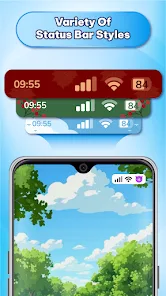
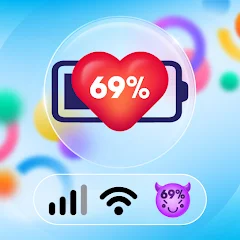
Emoji Battery Widget is a fun app that shows your phone`s battery level using emoji faces instead of a plain number or bar. It was created to add a bit of personality to checking how much juice you have left on your Android device. The app first launched on the Google Play Store back in 2016, and since then it`s racked up over 100 million installs. You can download it for free, and while you don`t have to register to use it, there are optional in-app purchases for extra emoji packs. There`s also some in-app ads, but they`re not too intrusive. I mainly use this app just for a quick laugh every time I unlock my phone.
Using the app is pretty straightforward. After you install it from Google Play, you just set it up as a home screen widget. You can pick which emoji style you want to see - for example, a smiling face when your battery is fully charged or a sweating one when it`s about to die. A tip I picked up: if you want to save some battery life, you can adjust the update frequency in the settings so it doesn`t refresh too often. The app also supports multiple widget sizes, so you can make it tiny or big depending on your home screen layout.
Compared to other battery apps like Battery Guru or AccuBattery, Emoji Battery Widget is much less serious. Those apps focus on stats, health charts, and charging cycles, which can feel overwhelming if you just want something light. I chose this one because it`s purely about entertainment. It`s not trying to manage your battery or give you detailed reports. Instead, it just makes checking your battery a small, silly joy in your day. If you`re tired of boring utility apps, this is a nice change of pace.
Capabilities
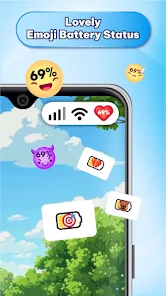
- ๐ The standout feature is definitely the emoji faces. Instead of a generic battery icon, you get a different emoji for each percentage range. For example, when your battery is at 90%, you might see a cool sunglasses face, and when it drops to 20%, you get a panicking face. It feels like the app is reacting to your battery life.
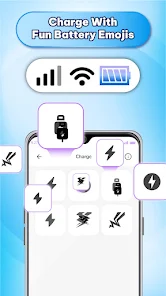
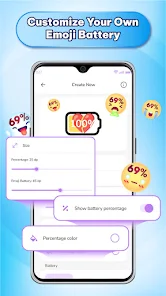
- ๐ Unlike apps like Battery HD, which mainly show numbers and graphs, this widget focuses 100% on customization. You can choose from dozens of emoji sets, including themes like animals, food, or classic smileys. You can even create your own set if you buy the premium pack.
- ๐จ The widget itself is lightweight and doesn`t drain your battery, which is ironic but true. It runs in the background without using much power, so you`re not sacrificing performance just for a cute face on your screen.
Highlights
- ๐ It really stands out for its simplicity. Apps like BatteryBot are great if you want technical data, but this app just makes you smile. The emoji reactions are relatable and funny.
- ๐ Another strength is how easy it is to set up. I remember the first time I tried it, I didn`t even need to read a tutorial. Just drag the widget onto your home screen and pick your emoji, done.
- ๐ The community-created emoji packs are also a huge plus. Compared to apps like Power Battery, which lock everything behind a paywall, this one gives you a lot of free options to play with.
Lowlights
- ๐ The main downside is the lack of any real battery health data. If you`re used to apps like AccuBattery that show voltage and temperature, this app will feel very shallow. It`s only about the emoji face.
- ๐ The widget doesn`t always refresh immediately after you charge your phone. Sometimes you have to tap the widget or wait a minute before the emoji updates, which can be annoying.
- ๐ The free version only gives you a few emoji sets, and most of the cute ones cost extra via in-app purchase. Compared to similar fun apps, the pricing can feel a bit steep for what is essentially just pictures.
Related Recommendation Data


Disclaimer
1. All trademarks, product names, and company names featured on this site belong to their respective owners.
2. Storageapk provides specialized soccer applications developed by our in-house soccer team, accompanied by comprehensive details such as developer contact info, user ratings, and app screenshots.
3. As part of our compliance efforts, Storageapk adheres to the Digital Millennium Copyright Act (DMCA) and responds to valid infringement notices in accordance with the DMCA and other relevant laws.
4. It is important to note that Storageapk is not affiliated with any app developer, nor do we create any applications or games ourselves.
5. Should you be an owner or copyright representative wishing to have your information taken down, you may contact us via email at [email protected].
6. All website content strictly follows the guidelines outlined in the Google Ads advertising policies and the Google Unwanted Software Policy.
What You Like