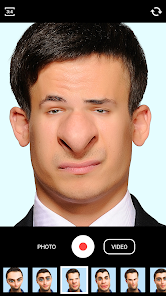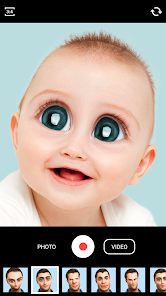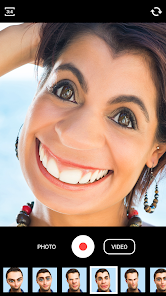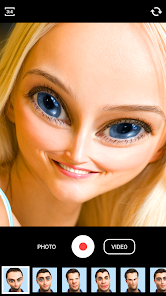
Face Warp
Apps Screenshots
Editor Evaluation
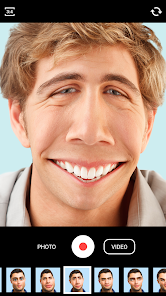
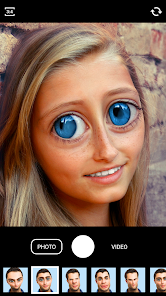
Face Warp is a fun little photo editing app from Wombatica Software that lets you do some pretty wild things with your selfies. It's essentially a face swap generator and face distortion tool rolled into one. I first came across it on the Google Play Store, and I think it's been around for a few years now, probably launching around 2015. You can download and install the app for free, which is a big plus. It's also available on the App Store for iOS users. Looking at the Google Play Store, it has over 50 million installs, so it's definitely popular. You don't need to register to use it, but there are some optional in-app purchases if you want to remove ads or unlock the full collection of effects. There are also some in-app ads, but they aren't too annoying.
Using the app is pretty straightforward. You just take a photo with your camera or pick one from your gallery. Then you scroll through the different effects and tap one to apply it. Some effects, like the face swap, require you to mark the faces manually, but it's super simple. A tip I picked up is that the app works best with photos where the face is clear and facing forward. If you try to use a profile shot, the distortion or swap can look a bit messy. Another tip is to use high-resolution photos from your gallery rather than the in-app camera, because the camera seems to lower the quality a bit.
Compared to other similar apps I've tried, like Snapchat or Cupace, Face Warp feels more dedicated to just this one type of fun. Snapchat has face filters, but they are more for quick stories and disappearing messages. Cupace is another good one for face swapping, but I found Face Warp has a bigger library of distortion effects. I use this app over the others because it feels designed purely for creating funny still images, not for social media posting or messaging. It's a simple, focused app that does what it says. If you are looking for a laugh with your friends, this is a solid choice from the Google Play Store.
Capabilities
- 🔹 Face Swap: The app is built around this feature, and it is really good at it. You can swap faces between two people in a single photo. Compared to Snapchat, which requires a live camera feed, Face Warp lets you do it with any existing photo. This is great when you want to swap faces with a friend from a picture you took at a party or a trip. The app does a pretty decent job of aligning the features, as long as the faces are similar in size. This feature alone makes it worth the download from the Google Play Store.
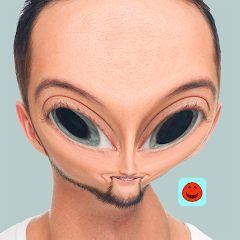
- 🔹 Distortion Tools: Beyond just swapping, the app has a lot of fun effects like the "Big Head," "Fish Eye," and "Pinch." You can make someone's head look enormous or squish their face into a funny shape. Cupace has some of these, but Face Warp offers more variety and control. You can adjust the intensity of the distortion, which lets you create subtle funny effects or totally outrageous ones. This is a feature I keep coming back to because it's so simple but generates a lot of laughs.
- 🔹 One-Click Effects: The app also includes pre-made funny overlays and frames, like putting your face on a movie poster or into a classic painting. This is a quick way to make a cool image without doing any manual editing. Compared to similar apps, the quality of these overlays is decent. They are not as polished as some professional photo editors, but for a free app, they are very good. This makes it a versatile tool for creating funny content to share with friends.
Highlights
- 🎉 Highly Entertaining: The biggest strength of Face Warp is how much fun it is. Every time I show it to a friend, we end up laughing for ten minutes. It's a great party trick for your phone. Compared to Snapseed or other serious photo editors, this app is purely for fun and that is its main selling point.
- 🎉 Easy to Use: The interface is very simple. You don't need a tutorial. Even my parents can figure it out in a minute. This simplicity is a big plus when you want to quickly create a funny picture. Most similar apps try to do too much, but Face Warp keeps it simple.
- 🎉 Free to Download: You can get it for free from the Google Play Store and start playing immediately. While there are in-app purchases, you can have a lot of fun without spending a penny. This makes it a low-risk app to try out.
Lowlights
- 😩 In-App Ads: The main downside is the presence of ads. After applying a few effects, you often get a pop-up ad. It's not the worst I have seen, but it can be annoying when you are in the middle of creating something. You can pay to remove them, but it would be nicer if they were less intrusive.
- 😩 Image Quality: When you save the final image, the quality can drop a bit. The distorted faces sometimes look a bit pixelated. Compared to a more professional app like PicsArt, the resolution is not as good. This is okay for sharing on social media, but not for printing.
- 😩 Limited Updates: The app hasn't been updated with new effects in a while. I have been using it for a few years, and it feels like the same set of effects. Cupace seems to get more frequent updates with new filters and features. It would be exciting to see new distortion types added in future updates.
- 😩 Face Detection Issues: The face detection can be a bit finicky. It sometimes struggles with glasses, hats, or side profiles. If the lighting in your photo is bad, it might not detect the face at all. This can be a bit frustrating when you have a perfect picture to work with.
Related Recommendation Data


Disclaimer
1. All trademarks, product names, and company names featured on this site belong to their respective owners.
2. Storageapk provides specialized soccer applications developed by our in-house soccer team, accompanied by comprehensive details such as developer contact info, user ratings, and app screenshots.
3. As part of our compliance efforts, Storageapk adheres to the Digital Millennium Copyright Act (DMCA) and responds to valid infringement notices in accordance with the DMCA and other relevant laws.
4. It is important to note that Storageapk is not affiliated with any app developer, nor do we create any applications or games ourselves.
5. Should you be an owner or copyright representative wishing to have your information taken down, you may contact us via email at [email protected].
6. All website content strictly follows the guidelines outlined in the Google Ads advertising policies and the Google Unwanted Software Policy.
What You Like