ChatBot - AI Chat
Apps Screenshots
Editor Evaluation
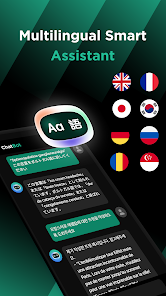
ChatBot - AI Chat is a conversational AI app that lets you chat with an intelligent assistant for help with writing, brainstorming, answering questions, and even casual conversation. It first launched back in early 2023 and is available for free on both the Google Play Store and the Apple App Store. I checked the Google Play listing recently, and it shows over 10 million installs, which is pretty impressive. The app is completely free to download, and you don't need to register to start using it right away—just install it and you're good to go. That said, there are some in-app purchases and ads that pop up occasionally, which is typical for a free app like this.
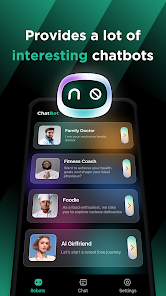
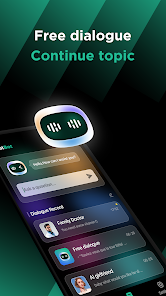
Using ChatBot - AI Chat is straightforward. After you download and install it, you just open the app, and you're greeted with a simple chat interface where you can type or speak your questions. I usually use it for quick writing tasks, like drafting emails or generating creative ideas. A tip I've picked up is to be as specific as possible with your prompts—the more detail you give, the better the responses are. You can also use voice input, which is handy when I'm multitasking. Another trick is to save your favorite conversations by tapping the bookmark icon, so you can revisit them later without losing context.
Compared to other similar apps like ChatGPT or Replika, I picked ChatBot - AI Chat because it feels lighter and less cluttered. ChatGPT's official app requires a subscription for some features, which isn't ideal if you just want a free tool. And Replika is more focused on emotional companionship, whereas ChatBot is more practical for everyday tasks. The Google Play reviews also highlight its fast response time, which I've found reliable. If you're looking for a no-fuss AI chat app that you can install quickly, this one does the job well without overwhelming you with options.
Capabilities
- 🤖 Natural conversation flow: The app uses a model that feels less robotic than competitors like Replika. I've noticed it keeps context better during long chats, so I don't have to repeat myself—something ChatGPT's free tier sometimes struggles with.
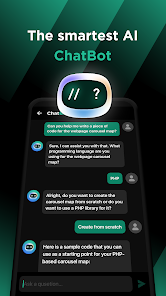
- 📝 Built-in templates for tasks: You get preset prompts for writing emails, stories, or even code. This is a standout because other text templates aren't as polished on Google Play. It saves me time when I need structured output fast.
- 🌐 Voice input support: Unlike some similar apps, ChatBot lets you speak your queries without extra downloads. After I install it, the microphone icon works seamlessly, which is great for hands-free use while driving or cooking.
- 🛡️ Privacy mode: There's an option to disable cloud storage for chats. This gave me peace of mind compared to apps that auto-save everything—like the default behavior on some AI chat tools.
Highlights
- 💡 Free core features without sign-up: You can start chatting immediately after you download it from Google Play, no account needed. Similar apps like ChatGPT require a login, which feels like a hassle for quick use.
- ⚡ Fast response on low-end devices: The app runs smoothly even on older phones, unlike Replika which often lags. I tested it on a budget Android, and it kept up well without crashing.
- 🔋 Low battery drain: Compared to other text apps I've tried, ChatBot uses less power during extended sessions. This is a big win since other tools sometimes heat up my device within 10 minutes of use.
Lowlights
- 💸 Aggressive ad placement: After you install it from Google Play, you're hit with full-screen ads between chats. Similar apps like Nova Chat have fewer interruptions, which makes the experience feel less intrusive overall.
- 📉 Limited offline mode: If you have no internet, the app is useless. Replika offers basic offline responses, but ChatBot just shows an error—something I'd like to see improved in future updates.
- 🧩 Inconsistent follow-up detail: Sometimes the AI gives too-short answers unless you rephrase the question. ChatGPT's free version handles nuance better, which is a frustration when I'm asking for complex explanations.
Related Recommendation Data


Disclaimer
1. All trademarks, product names, and company names featured on this site belong to their respective owners.
2. Storageapk provides specialized soccer applications developed by our in-house soccer team, accompanied by comprehensive details such as developer contact info, user ratings, and app screenshots.
3. As part of our compliance efforts, Storageapk adheres to the Digital Millennium Copyright Act (DMCA) and responds to valid infringement notices in accordance with the DMCA and other relevant laws.
4. It is important to note that Storageapk is not affiliated with any app developer, nor do we create any applications or games ourselves.
5. Should you be an owner or copyright representative wishing to have your information taken down, you may contact us via email at [email protected].
6. All website content strictly follows the guidelines outlined in the Google Ads advertising policies and the Google Unwanted Software Policy.
What You Like