Photo Collage Pro
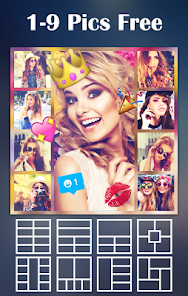
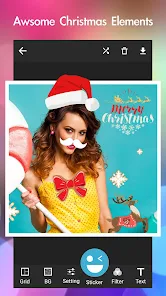
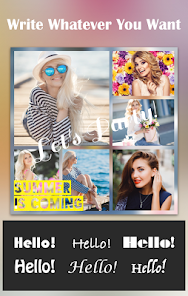
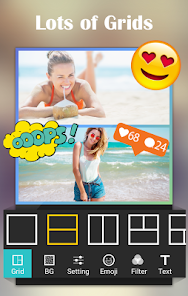
Apps Screenshots
Editor Evaluation
I've been using Photo Collage Pro for about six months now. It's a photo editing and collage making app that lets you combine multiple pictures into one layout. The app was first launched back in 2015 and is available on both the Google Play Store and the Apple App Store. On Google Play alone, it has passed over 100 million installs, which says a lot about its popularity. The app is free to download and you don't have to register an account to use it. There are in-app purchases for premium templates and stickers, and you will see some ads while using the free version, but they aren't too annoying.
Using the app is straightforward. After you download and install it, you can pick a grid layout or a freestyle canvas. Then you just add photos from your gallery and adjust them by pinching or dragging. One tip I found helpful is to use the background blur tool to make your collage look cleaner. You can also change the border thickness and corners quickly. If you want a specific aesthetic, try matching the filter to the lighting of all your photos before you arrange them.
I chose this app over others like PicsArt or Canva because Photo Collage Pro focuses specifically on collages. PicsArt does tons of things but sometimes feels bloated with features I don't need. Canva is great for design but requires more steps to make a simple collage. With Photo Collage Pro, the process is faster. The app also has a simple interface that doesn't confuse you with too many options. It works fine for casual users who just want a nice collage in a few minutes.
Capabilities
- 🎨 The app offers over 800 grid templates and backgrounds. Compared to PicsArt, which has a more general approach, Photo Collage Pro gives you more layout variety right from the start. You can adjust borders, round corners, and shadows easily.
- 🖼️ It has a built-in photo editor with basic adjustments like brightness, contrast, saturation, and filters. In Google Play reviews, many users mention this combination allows them to finish editing and arranging without switching to another app.
- 📲 The app supports up to 15 photos in a single collage. Most similar collage apps limit you to 9 or 12 photos. This makes it useful for travel albums or event recaps where you want to show many pictures at once.
- 💾 It saves high-resolution images without compressing the quality. When you download the app from the Google Play Store, you will notice the output quality is better than many free collage tools that lower the sharpness.
Highlights
- 👍 The app loads quickly and doesn't lag even when you add many photos. This is a strength compared to Canva, which sometimes takes time to render heavy collages.
- 👍 It is free to use without mandatory registration. Unlike some apps that force you to sign up before you can save your work, Photo Collage Pro lets you start right after you install the app.
- 👍 The collage templates are updated regularly. Every few weeks, you get new seasonal designs. Other apps like Layout from Instagram rarely add fresh templates.
Lowlights
- 👎 The free version has ads that appear after you save a collage. While not disruptive, they slow down the flow and you can't remove them unless you buy the premium version.
- 👎 Some advanced features like stickers and text fonts are locked behind in-app purchases. Apps like PicsArt offer more free stickers and fonts from the start.
- 👎 There is no cloud backup or sync feature. If you uninstall the app and reinstall it, your recent projects are lost. Similar apps on Google Play like Fotor do offer basic cloud saving.
Related Recommendation Data


Disclaimer
1. All trademarks, product names, and company names featured on this site belong to their respective owners.
2. Storageapk provides specialized soccer applications developed by our in-house soccer team, accompanied by comprehensive details such as developer contact info, user ratings, and app screenshots.
3. As part of our compliance efforts, Storageapk adheres to the Digital Millennium Copyright Act (DMCA) and responds to valid infringement notices in accordance with the DMCA and other relevant laws.
4. It is important to note that Storageapk is not affiliated with any app developer, nor do we create any applications or games ourselves.
5. Should you be an owner or copyright representative wishing to have your information taken down, you may contact us via email at [email protected].
6. All website content strictly follows the guidelines outlined in the Google Ads advertising policies and the Google Unwanted Software Policy.
What You Like