
Editorial metadata review
Xfinity Stream
Published by Comcast
What this review does and does not claim
This page is an editorial review of available listing metadata, screenshots, version information, and installation risks. It does not claim a controlled hands-on device test. Features, prices, availability, and permissions can change by version or region.
Read our editorial and corrections policyListing screenshots
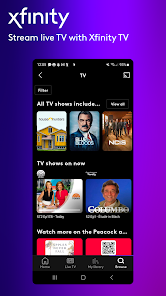
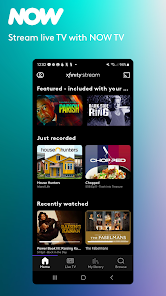
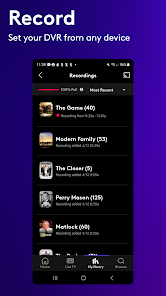
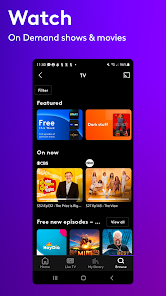
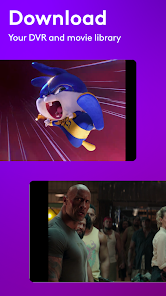
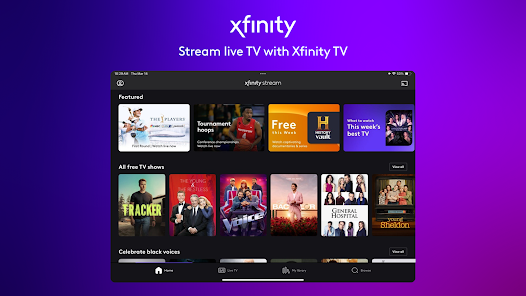
These images are listing material supplied for the app. They are useful for checking interface expectations but are not presented as Storageapk test evidence.
Editorial overview
Xfinity Stream is a companion streaming application for eligible Xfinity services. It can provide live television, on-demand programs, DVR access, downloads for selected titles, and account-linked channel availability, but it is not a stand-alone subscription catalog for every Android user.
Xfinity Stream is published under the package com.xfinity.cloudtvr by Comcast. Storageapk treats the package name and named publisher as identity references, while availability, service features, pricing, and device support remain subject to the current official listing and developer terms.
This is a source-checked desk review prepared from the current Google Play page, the developer material and privacy disclosure linked below, listing screenshots, and structured package metadata. Storageapk did not install or operate Xfinity Stream on a test device, so the page does not present speed, reliability, battery life, output quality, or user experience as directly observed results.
Verified app and package context
The identity snapshot for Xfinity Stream should be checked before any download because titles and icons are easy to copy. Android update continuity depends on both the package name and the signing certificate; a file with a familiar name but a different signer should not be accepted as a routine update.
The following Xfinity Stream values come from the local editorial database and can change after 2026-07-22. Rating and install figures describe a store listing at one point in time, not an independent Storageapk score or proof of quality.
- Title: Xfinity Stream
- Developer: Comcast
- Package: com.xfinity.cloudtvr
- Category: Entertainment
- Stored version: 8.14.1.3334
- Listed package size: 54.9 MB
- Content rating: Rated for 12+
- Listing installs: 10M+
- Listing rating: 4.2
Source coverage for Xfinity Stream includes Xfinity Stream on Google Play, Comcast website or support, Comcast privacy policy. Those links are presented for readers to recheck facts that may have changed since the editorial date.
Features to evaluate
The points below are the specific capabilities or operating characteristics identified for Xfinity Stream. They are phrased narrowly so the page does not turn a developer description into an unsupported performance promise. A reader should compare each relevant point with the current listing, screenshots, account state, region, and device before relying on it.
- A compatible Xfinity account and service package determine which live channels and on-demand titles appear.
- Cloud DVR customers can access eligible recordings and scheduled content through the account.
- Selected programs may support temporary downloads for offline viewing, with rights and expiration rules attached.
- In-home and out-of-home playback rights can differ because networks and programs impose distribution restrictions.
- Search, guide, favorites, and recently viewed areas organize content associated with the signed-in account.
- Casting or large-screen playback depends on the current app, supported hardware, network, and content rights.
These capabilities describe what Xfinity Stream is intended to provide, not a guarantee that every control is free, available offline, enabled in every country, or compatible with every Android release. A removed service, required account, premium gate, or missing device capability can change the practical result without changing the archived package title.
Potential strengths
Xfinity Stream is most useful when its actual workflow matches a defined task. The following scenarios are editorial fit assessments derived from the listed capabilities; they are not endorsements, rankings, or reports from a device test.
- Existing Xfinity television customers can use the app as an additional screen when the account includes the requested content.
- Travelers may prepare supported downloads before leaving a reliable connection and verify their expiration period.
- Cloud DVR users can review or manage recordings away from the primary television setup when account permissions allow it.
Before adopting Xfinity Stream for a recurring task, compare one representative non-sensitive example with an alternative workflow. Check the time, account, network, storage, permission, and payment requirements as well as the visible result. That comparison is more informative than treating install totals, screenshots, or a single rating value as a universal recommendation.
Trade-offs and limitations
The developer listing describes intended features, while a responsible review must also identify boundaries. For Xfinity Stream, the issues below can materially affect whether the app is suitable even when the package installs successfully.
- Installing the app does not create an Xfinity subscription or unlock channels absent from the customer’s package.
- Blackouts, licensing, device limits, regional restrictions, home-network rules, and concurrent-stream limits can block a title.
- Downloads are protected app data rather than permanent general-purpose video files and may expire.
- Streaming quality depends on connection capacity and can use substantial mobile data.
Xfinity Stream compatibility should be checked against the Android version, processor architecture, required sensors or services, available storage, and any account or regional rules. The listed APK size does not include every temporary file, extracted resource, cache, saved project, or later download. When an old build conflicts with a supported official release, prefer the supported channel rather than disabling Android protections.
Privacy, installation, and editorial conclusion
Xfinity Stream should receive only the access needed for a feature the user deliberately opens. A permission appearing in Android or a data category appearing in Google Play does not prove misuse, but it creates a concrete question about purpose, retention, sharing, security, and what stops working after denial.
- Account credentials, viewing activity, device identifiers, network information, and service entitlement are part of delivering account-linked television.
- Location or home-network information may be used to enforce regional and rights restrictions.
- Downloaded programs should be protected with a device lock because they remain linked to the signed-in account.
- Review Comcast privacy controls and household profiles before sharing the application on a family device.
For a Xfinity Stream APK obtained outside Google Play, verify the SHA-256 checksum and signing certificate before installation, compare the signer with a previously trusted release, keep Play Protect enabled, and cancel when the package identity is unexpected. Do not grant accessibility, device-administrator, VPN, notification-reading, overlay, or install-other-apps privileges merely to bypass an error.
Storageapk’s conclusion is limited: Xfinity Stream has an identifiable package and primary-source trail suitable for an editorial reference page, but suitability still depends on current official availability and the reader’s requirements. Recheck the sources, back up important data, and use the least sensitive sample possible before placing personal information, payment details, health data, creative work, or account credentials into the app.
Primary listing sources
Confirm current availability, permissions, pricing, and release notes with the developer before installing any package.